Hi everyone,
I’d like to share a Quality of Life (QoL) UI suggestion regarding how building Desirability (Attraktivität) is displayed (see attached screenshot).
Currently, a building’s positive or negative impact on desirability is only visible as a small icon while browsing the build menu or during placement/relocation. Once a building is constructed and you click on it to inspect its details, that desirability indicator is no longer shown in the building UI window.
Proposed Improvement:
-
Add Desirability Icon to Building Info Window: Display the desirability impact icon directly inside the building’s inspection window.
-
Placement Options:
- Next to the building category icon in the top left corner (matching the icon style from the build menu).
- Integrated into the right side of the window header or description area.
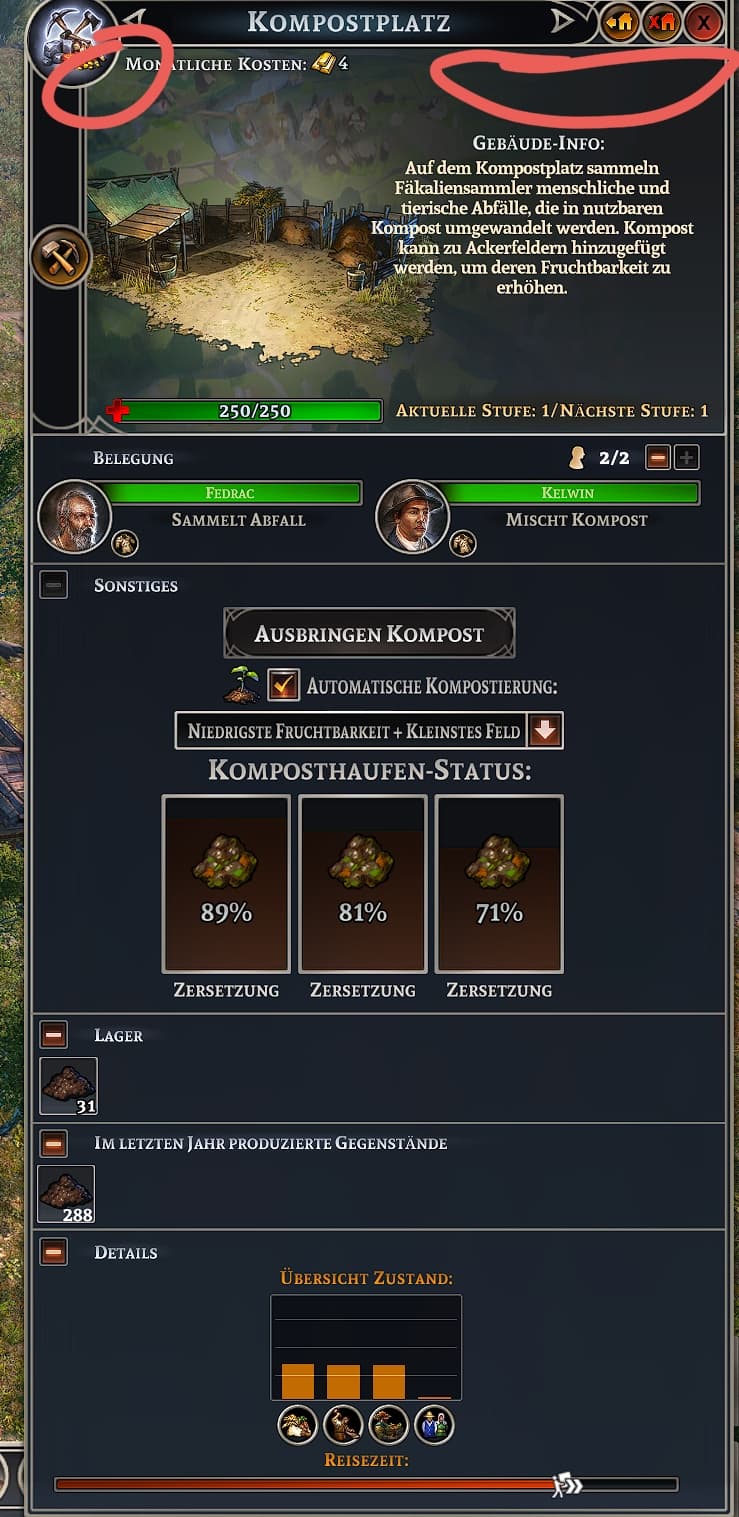
This small addition would make it much easier to quickly check whether an existing building (like a Compost Yard, Theater, or Bakery) boosts or lowers surrounding desirability without needing to open the build menu to check its stats or the desirability overlay.