does this mod disable achievements?
no, achievements are not affected
awesome. thank you.
I installed the mod and after adding importing and everything when i went in game my shared stash is empty and the tabs need purchased again. Is there anything i can do i don’t want to lose everything including components.
First of all, you can restore your previous stash by renaming transfer.t## to transfer.gst (with ## being 00 to 09 and 00 being the most recent backup, 01 the one before it and so forth)
As to the stash being reset, this can only happen with cloud save, and even then it should be rare. So not using cloud save would be one way to prevent this from ever happening.
The only case where this reliably happens that I am aware of is if you use cloud save and Grim Internals to start GD after having made changes with GDS. In that case you end up with an empty one-page stash.
The solution here is to start GD via Steam, not via GI. That is an issue with GI and how it interacts with GD / cloud save, not GDS. GDS saves the data back correctly each time (or you would get an error message), the data is ‘lost’ after that.
thanks it was grim internals screwing things up. thanks again for the help.
Version 1.4.4c released
Corrected GUID for secret FG shrine
Updated chinese translation
1 Like
HI
i found that no all illusions adds after i push this buuton

Did it add no illusions or did you notice some missing ones (and if so, which ones) ?
It worked last time I checked and nothing changed since, so it should work.
i click Add all illusinos
wait a bit
GDStash say what all illusions are added
i run game
open my char
and
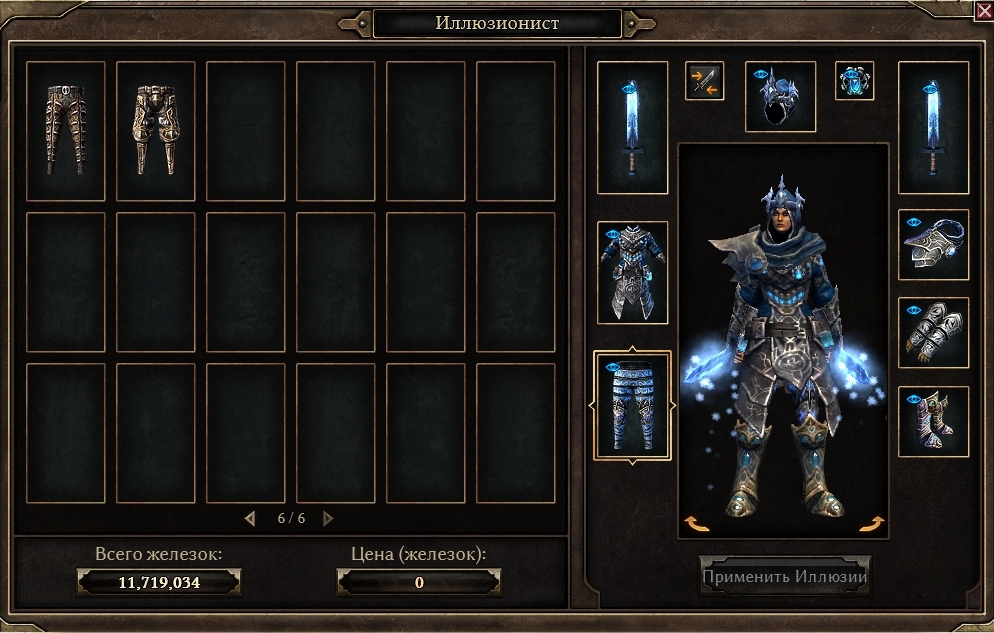
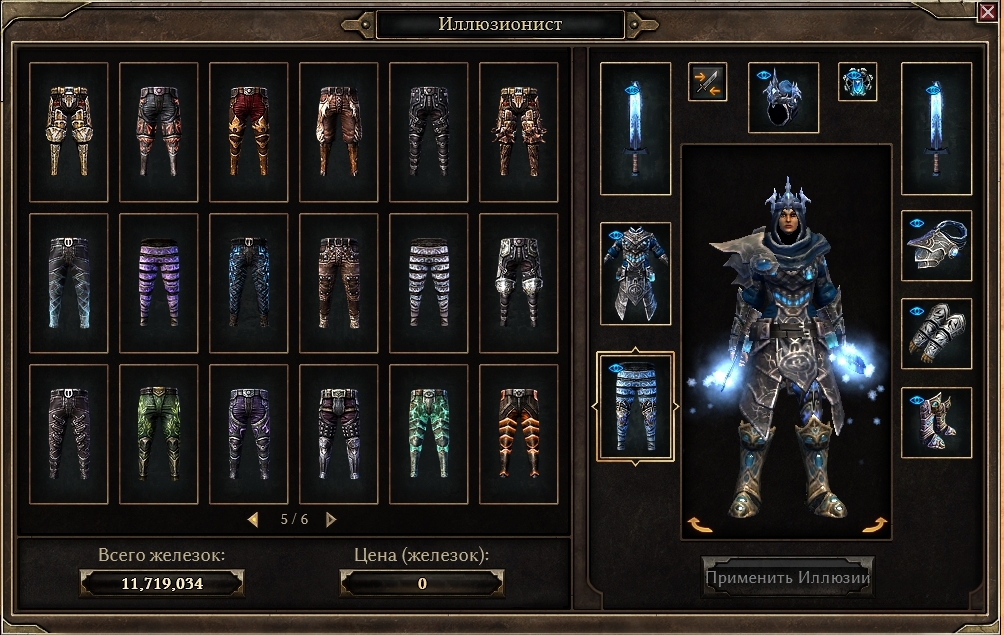
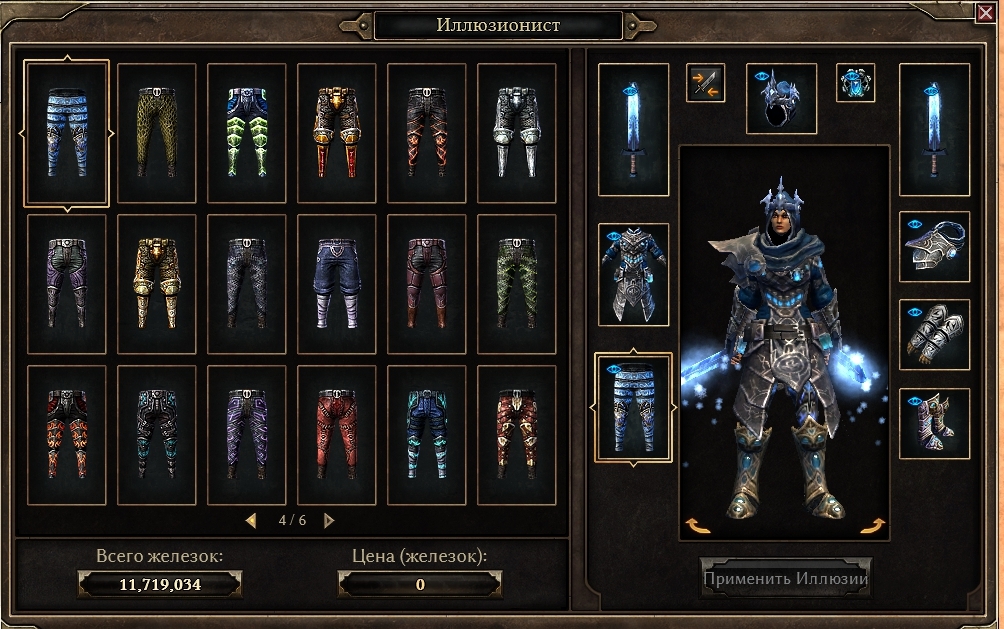


don’t find this item
https://www.grimtools.com/db/items/9189
aslo i don’t find another green item
thanks, looks like my logic for identifying identical items is not correct (used to e.g. not add both the regular and mythical version).
Basically I look for other items with the same mesh, texture and bump map. The Stormcage Legguards are identical in that regard to the Vilescorn Legplates, and as those are lower level, the Stormcage is not added.
There however also is a glow texture and that is different, so I will need to also consider that in the logic (and therefore add it to the data I extract). Might as well add the shader too to be extra safe…
1 Like
glad that can help you
is it real to fix?
It is relatively simple. Should maybe take 20-30 minutes to add the two tags to the data I import and then to the logic for the illusions. So I might release a new version later today (EST), depending on whether I get around to it.
1 Like
can you help me with GD stash configuration Grim Dawn save game directory i get error with Wrong directory thanks
The documentation quite clearly spells them out. If you use local saves, it is C:\Users<username>\Documents\My Games\Grim Dawn\save. If you use cloud save, it is C:\Program Files (x86)\Steam\userdata<folder of numbers>\219990\remote\save.
Exceptions would be if you have Steam installed in a non-default location or have your ‘My Documents’ in a non-default location. In that case you should know what that location is and take the rest of the subdirs from the above ones.
i did not find my character in save game
but after i turn of cloudsave it works
turning cloud save on / off does not automatically move the save data between the two locations, so it should have no impact on whether your data is found (unless you create a new char, that then is created in the corresponding save dir).
Version 1.4.4d released
- Fixes the illusion issue reported earlier today (some items were not identified as distinct illusions when they should have been)
Requires a new data import (GDS will ask you to do import), so you might want to wait until tomorrow’s GD patch 
1 Like
I’m a little bit confused with a Cloud Save issue. If I use GD Stash it disables Steam’s Cloud Saves? That means if I switch to another computer (which I do frequently) I’m ineligible to use my character there? Is this safe for when playing multiplayer a lot?
The tool does not disable cloud save, for GD everything stays the same. If you use cloud save there are some restrictions however on how you use GDS.
Basically you cannot edit a char or shared stash while GD is running, the tool will not allow you to save your changes if it finds GD running.
If you used local saves you could (not the char you are playing (but any other), not the shared stash while it is open in game (but while it is closed, it then reflects the changes when you open it the next time, even in the same game session)).
This is a precaution because sometimes cloud save seems to get confused when you change the data outside GD while GD is running, resulting in a char or stash that is reset. This never happens with local saves.
One more thing you should be aware of is that if you use Grim Internals, you need to start GD via Steam, not GI, after you made changes in GDS. If you start GD via GI, that will also reset your shared stash to an empty one page stash.
All of this is outside my control, GDS writes the local file back correctly, the data ‘loss’ happens after that, so the only thing GDS can do is check that GD is not running while you make changes to minimize the risk.