In almost every game, I often press the F2, F3, F4 and F5 keys to have advanced HUD information about important in-game stuff that is happening.
However, sometimes I just want the HUD completely gone to take screenshots or capture a beautiful cinematic moment.
Unfortunately, the fullscreen screenshot mode key (“«” on my keyboard) does not hide HUD elements that were configured as “advanced”:
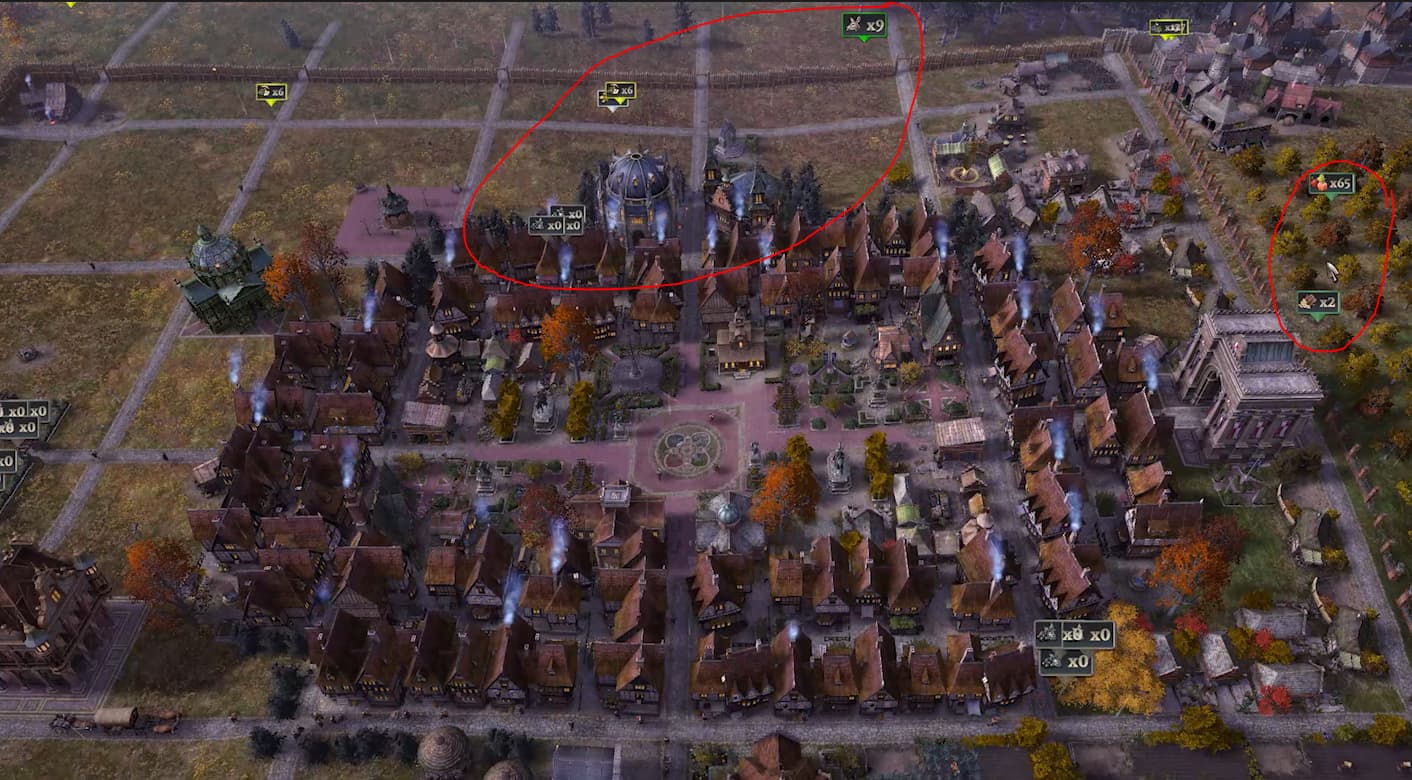
In particular, advanced harvestable resources (top of screen), and advanced dropped resources (right side of screen) are not being hidden.
There’s an extra problem: if I press “Esc” while in screenshot mode, I don’t see the menu opening, but I can’t press “«” again to exit screenshot mode. No other keys work unless I press “Esc” again, which a bit awkward when accidental presses happen, since I can’t see the main menu open to realize that’s the reason why my keyboard is suddenly not responding.