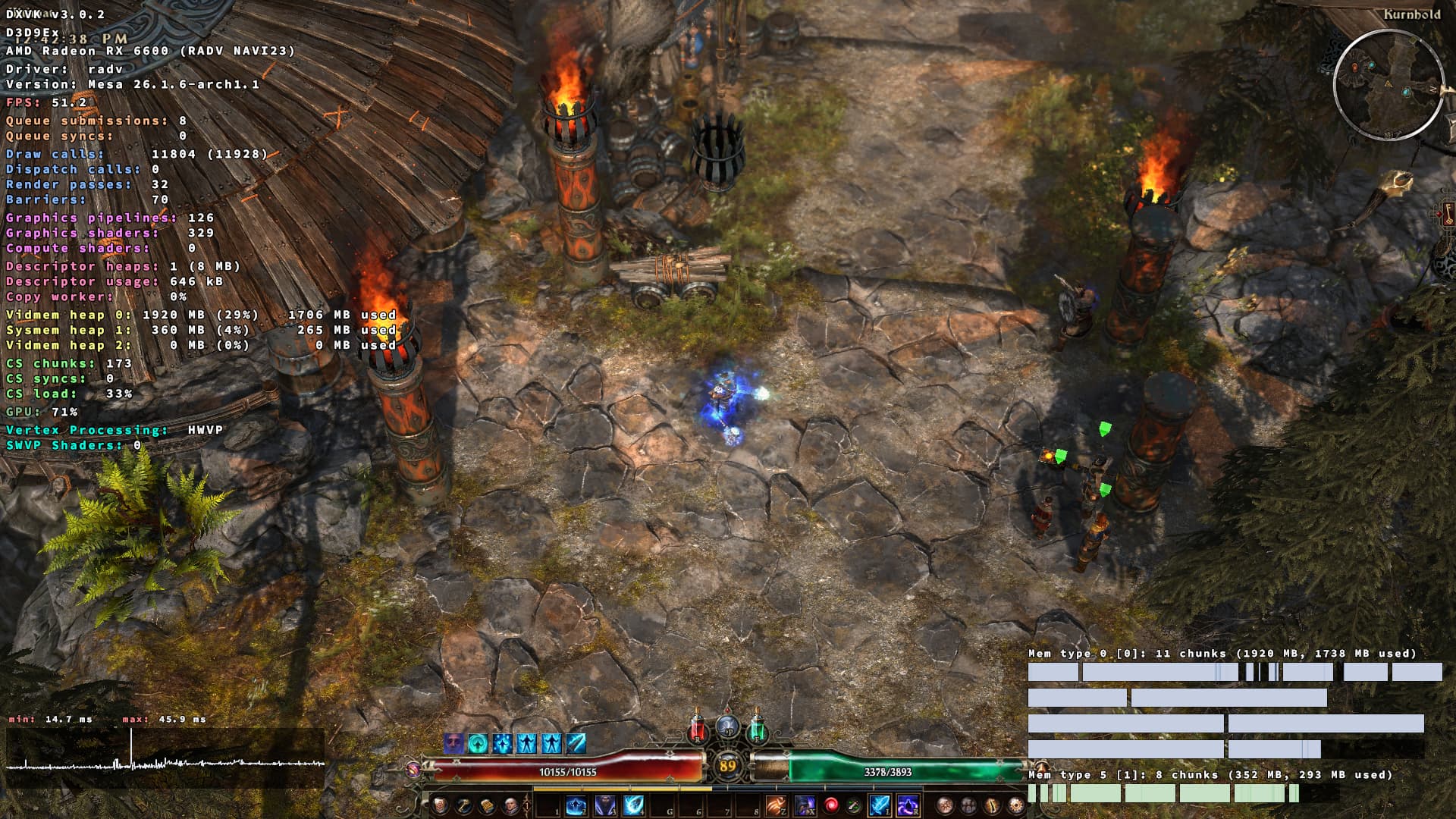
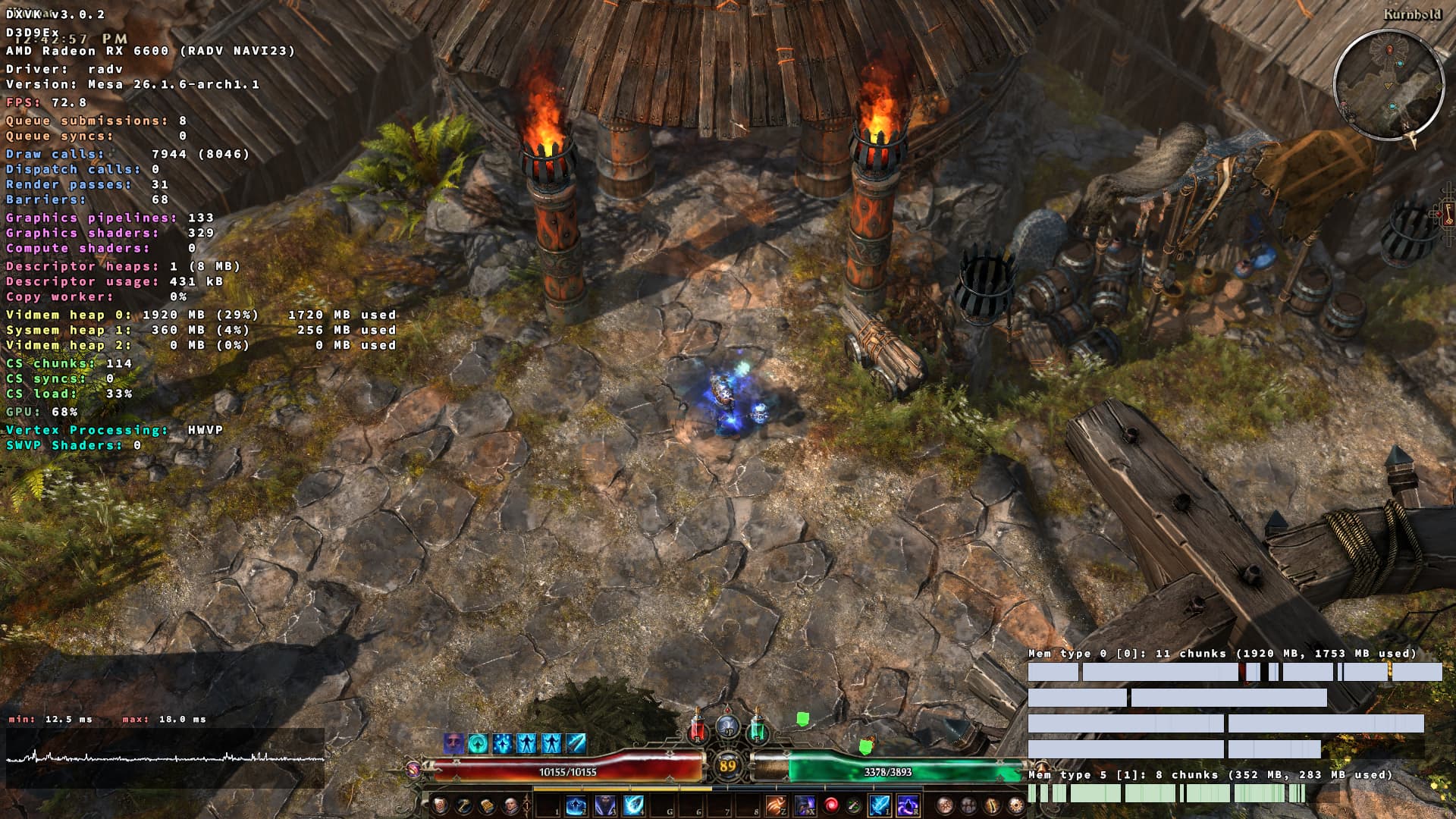
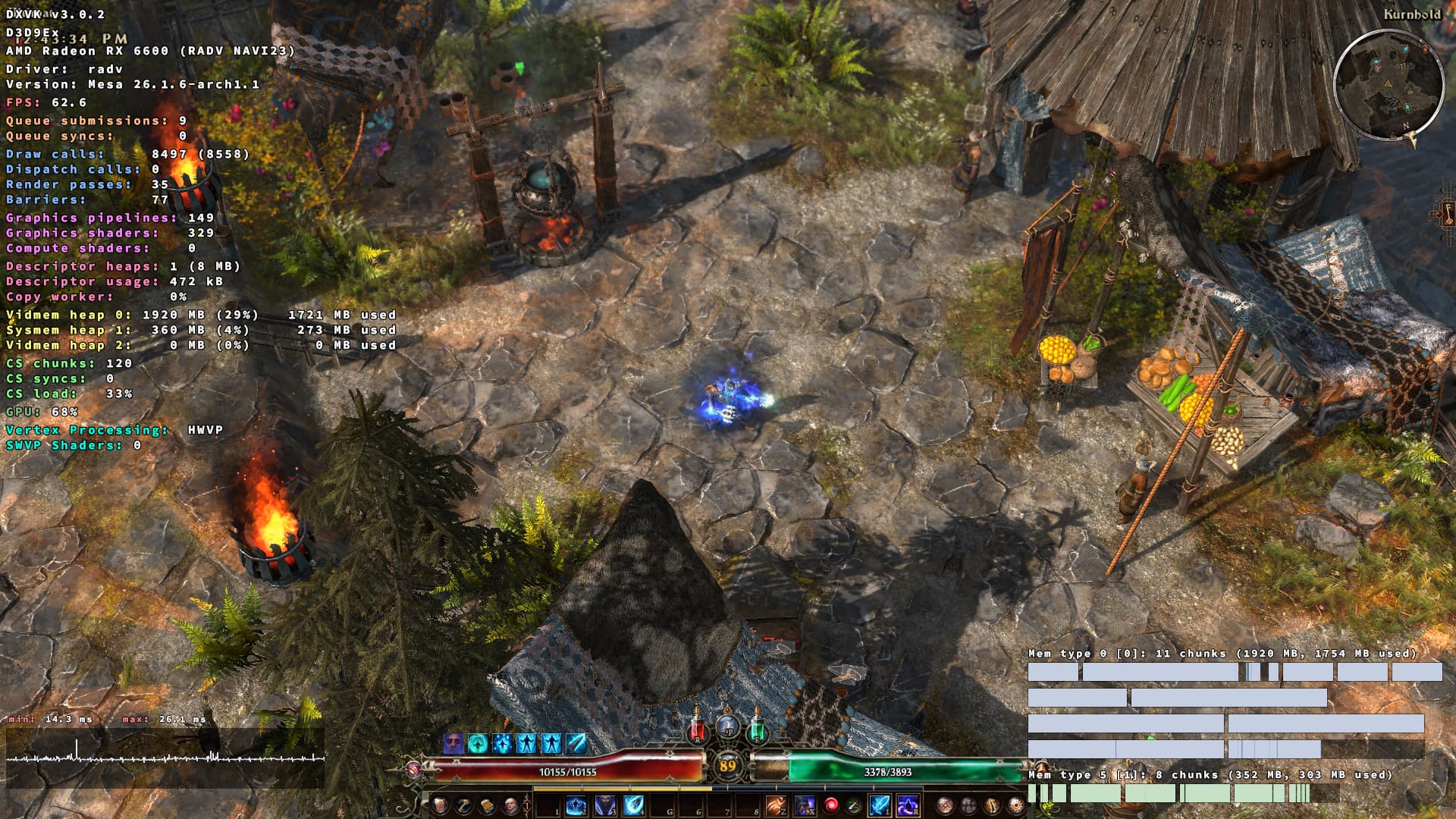
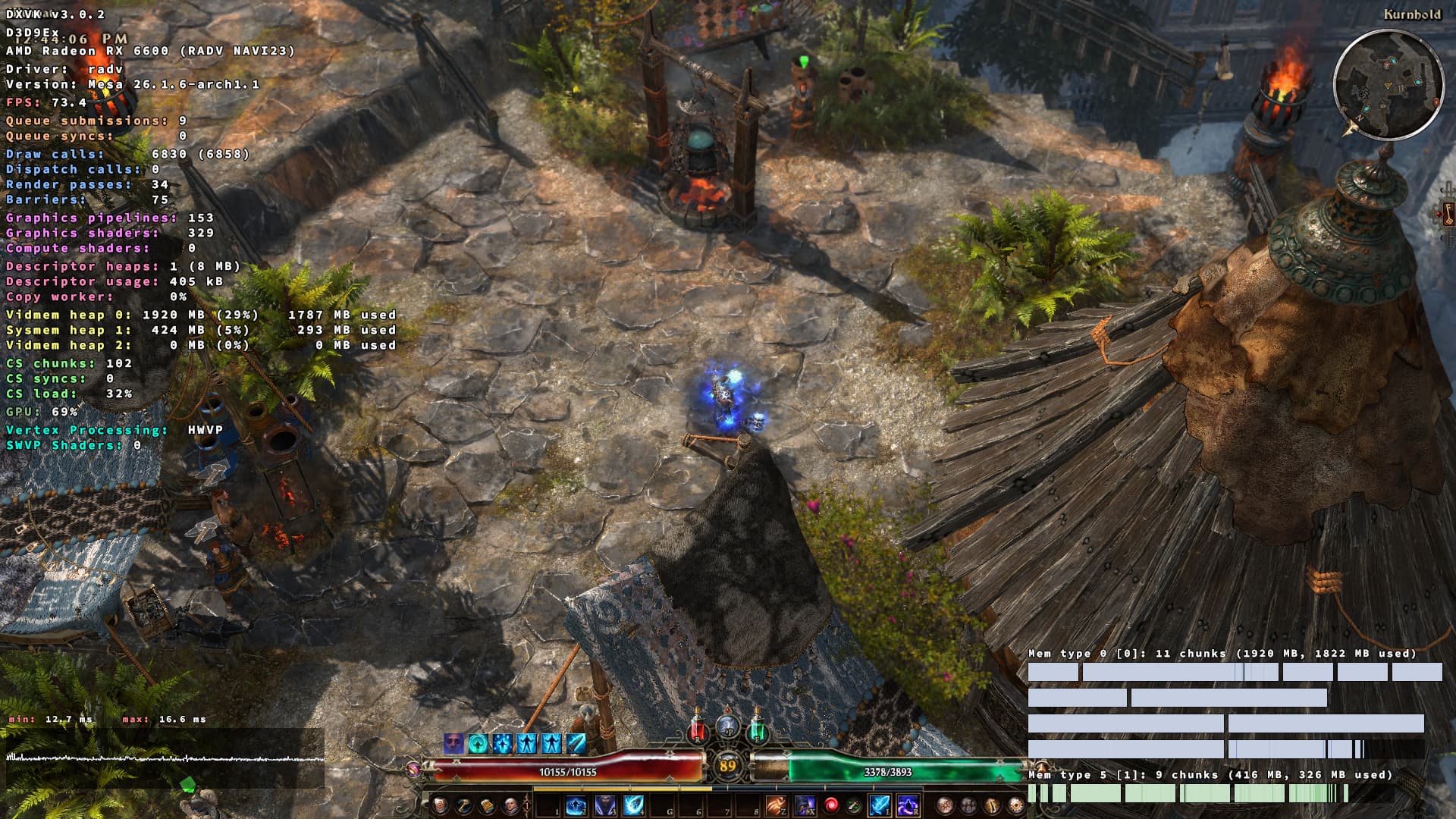
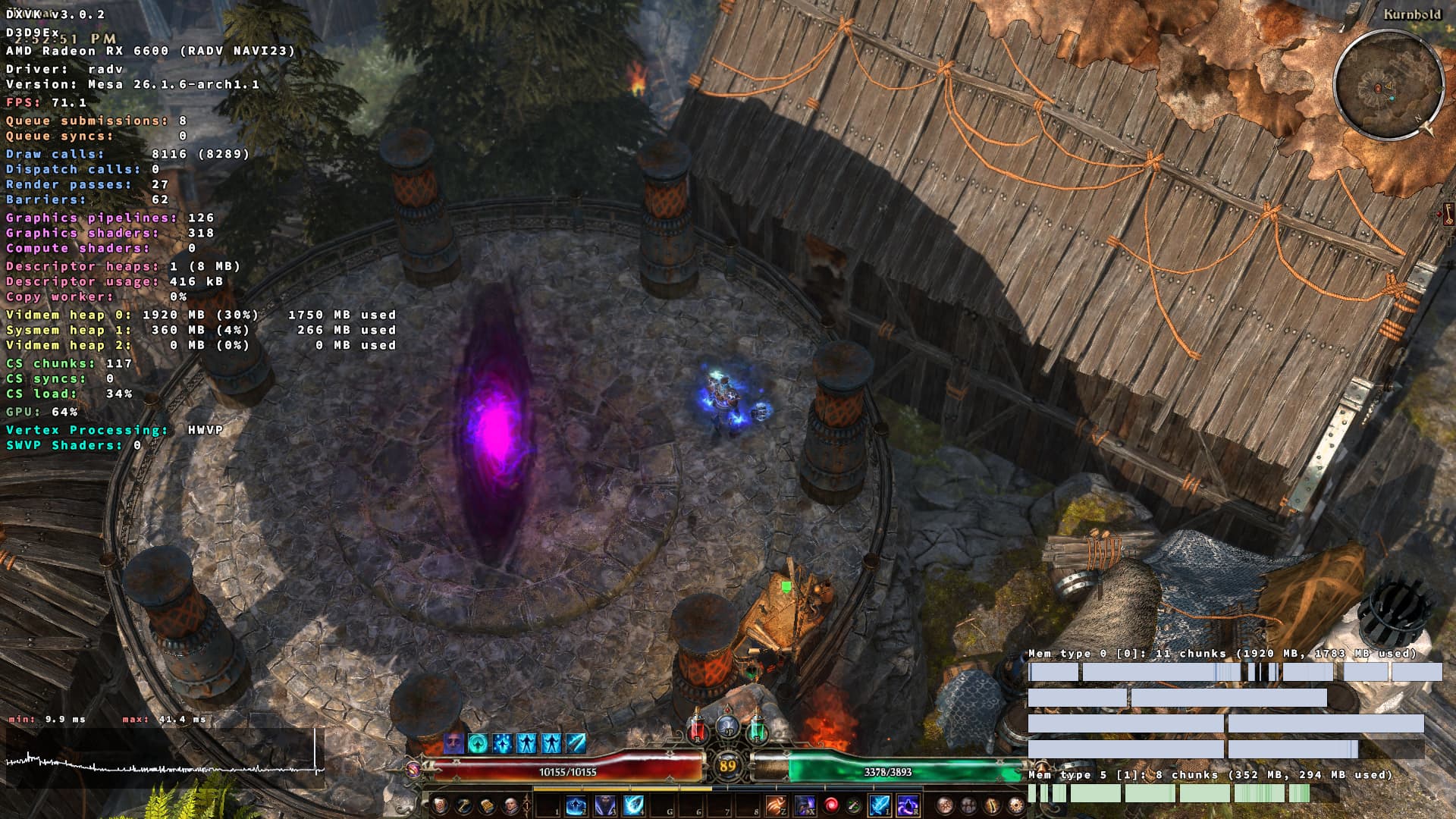
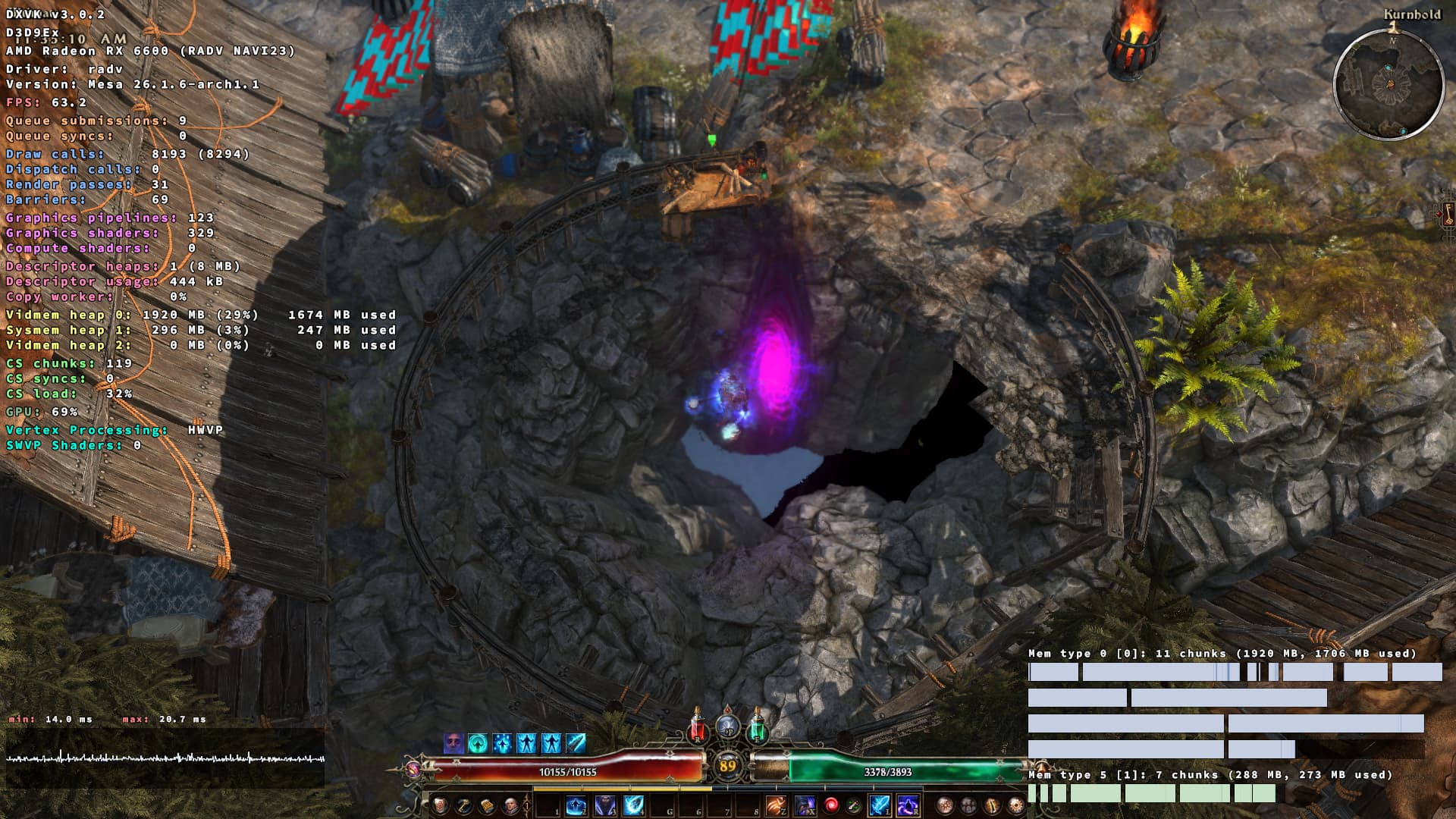
I’ve decided to make this separate thread even though I’ve been updating this one. I’ll start with a summary, then some findings, some guesses, and a plea.
With Fangs, you get increases in frametimes, FPS drops, and sluggish rendering at specific areas, when Shadows are enabled on any quality level. As soon as shadows are Off, none of this happens.
I do not, at all, refer to the microstutters/microfreezes the game suffers in general. My best guess about those is that a single thread is burdened with decompressing and loading-in resources from ARC archives, and you get a microstutter if the same thread happens to be performing something computationally heavy at the same time. Offloading resource load-in to a separate thread would be my first line of attack, but of course I have no knowledge of how feasible multi-threading this engine is. Excuse the digression.
Two areas which consistently reproduce the issue are (1) the bridge just after Fort Ikon and before the first Fangs area: you consistently get awful frametime jitter when walking to and fro the new world (I say world when I mean a newly loaded area as indicated by the overlay text that you’re entering a new region). Remarkably, playing the game on DirectX 9 does not reproduce this, initially indicating something to do with shaders.
At any rate, the second area (2) is Kurnhold itself. Most of the city, but especially the spawn area and the circular dwelling where the riftgate and bounty table are. At spawn, you rarely get more than 60-70 FPS (where the game normally manages an average of 140ish) but around the riftgate it always, consistently, drops to 52-56ish. The drop corresponds to a steady, measurable increase in frametime while the GPU never gets pushed beyond 70%. You feel the framerate return to normal as soon as you leave north of spawn, around the entrance, to the waterfall vista, or if you go up the stairs east of spawn towards the vendors. Walking west of spawn towards the altar is still burdened with the poor frametime. The area around the cauldron and vendors suffers the same issue, as do the steps you enter the city from and Yigra’s area. It is only after you’ve gone down the entry stairs and exit Kurnhold that framerate shoots to 120+. Performance appears to be better on DirectX 11 there rather than 9, although both suffer the same issues.
The first things I did was try to mitigate via DXVK configuration. Setting dxvk.tilerMode to True was the only thing that made a measurable difference, granting a few FPS. But that’s a tiny band-aid.
The real breakthrough was gutting each individual shader (or group of shaders) from Shaders.arc to see whose absence makes the framedrops go away. I’ve been able to narrow it down to standardstaticdetail.ssh and standardstaticdetail_nofade.ssh. When both of those shaders are removed, framerate remains stable at least around Kurnhold spawn and riftgate. (Removing either of them individually retains the issue.) I happen to keep the GOG offline installers for version 1.2.1.2, so I tried replacing just those two shaders, and then the entire Shaders.arc archive just to see what happens. The issue persists. So, it doesn’t appear to be a change in those two shaders, but rather what they do in the affected area(s) that causes problems. Almost as if there’s a calculation running haywire…
Clearly, it’s to do with shadows (as switching them Off alleviates this). Now, precompiled shaders I have no idea how to debug, but running strings to see if my shadowy hypothesis might be correct, proves there’s several shadow manipulation functions in (at least) standardstaticdetail.ssh. "worldToShadowMatrix" sounds very suspicious to me. It makes me imagine there’s shadow calculations happening onto, or applied to, a given area. Then, something like that would explain why specific areas trigger framedrops when shadows are enabled. It makes me imagine the Kurnhold area has something unique that causes the shadow calculations to go haywire. What’s also interesting is that setting shadows to Low makes the shadow coverage in Kurnhold very unstable and weird, which also points to this hypothesis. Although I admit that last part might be something on my end as I haven’t yet asked if anyone’s able to reproduce it.
And so my plea. Please review these two shaders. There is verifiable, reproducible, measurable and felt performance loss which has to be addressed. I’m willing to record video evidence of this even though I’m very bad at it. If it isn’t clear I’m doing all this because I love the game so much, all I want is to have a stable rendering experience. My only concern is this might be swatted off as not reproducible and not addressed. I’d happily fiddle with the shaders myself, but as I said to my knowledge you can’t decompile precompiled shaders. And I don’t fancy playing without shadows. Thank you in advance.
Computer specs for reference:
Ryzen 5500 boosting to 4400MHz,
16GB 3200 MHz DDR4,
RX 6600 8GB stock,
PCIe 3 NVMe.