After loading into my save, I cleared a line of small grass clearings intending to replace them with juniper bushes when I noticed the bug. The collision box for the garden trail is rotated by 90 degrees, and is preventing placement of juniper bushes (sc below). Interestingly, the correct collision box for the garden trail is also present (no sc; new acc., cannot upload more pics).
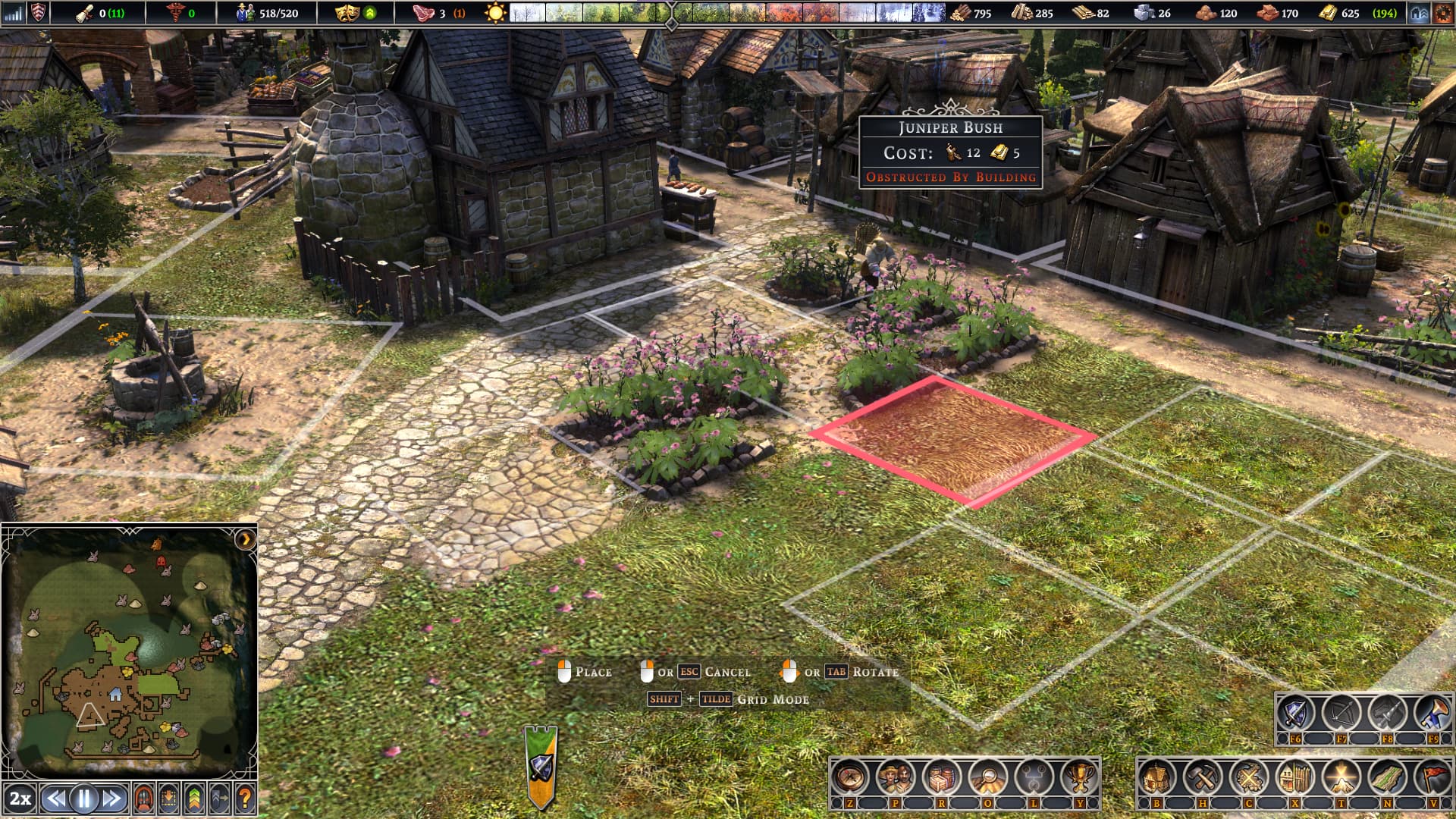
A collision box is an invisible, simplified boundary used in video games and 3D simulations to calculate when two objects or characters interact. Instead of calculating complex shapes, computers use simple boxes to save processing power, allowing the game to run smoothly. (Yeah, had no idea this was a thing.)
Thanks for reporting this. I haven’t been able to repro this, though we have had similar issues in the past that we’ve fixed. Do you have the .sav and .map of that saved game you could share?
Where can I find my .sav and .map? I’m in …/Steam/userdata/id no./1044720 but I don’t see anything.
C:\Users[USERNAME]\Saved Games\Farthest Frontier\Save
… in there you should see saved game folder. Each folder will have 1 .map file and 1 or more .sav files.
Here are the .sav and .map files:
You’ll find the bugged garden trails to the left and to the right of the temple.
Thanks for sharing that. I can’t locate where that would have gotten incorrectly rotated, though we have had and fixed several cases of that in the past. In the very least, I have spot-fixed the .sav file and put it here should you want to use that.
Ah, darn. At least my juniper bushes will be happily lined up now!  cheers ^^
1 Like