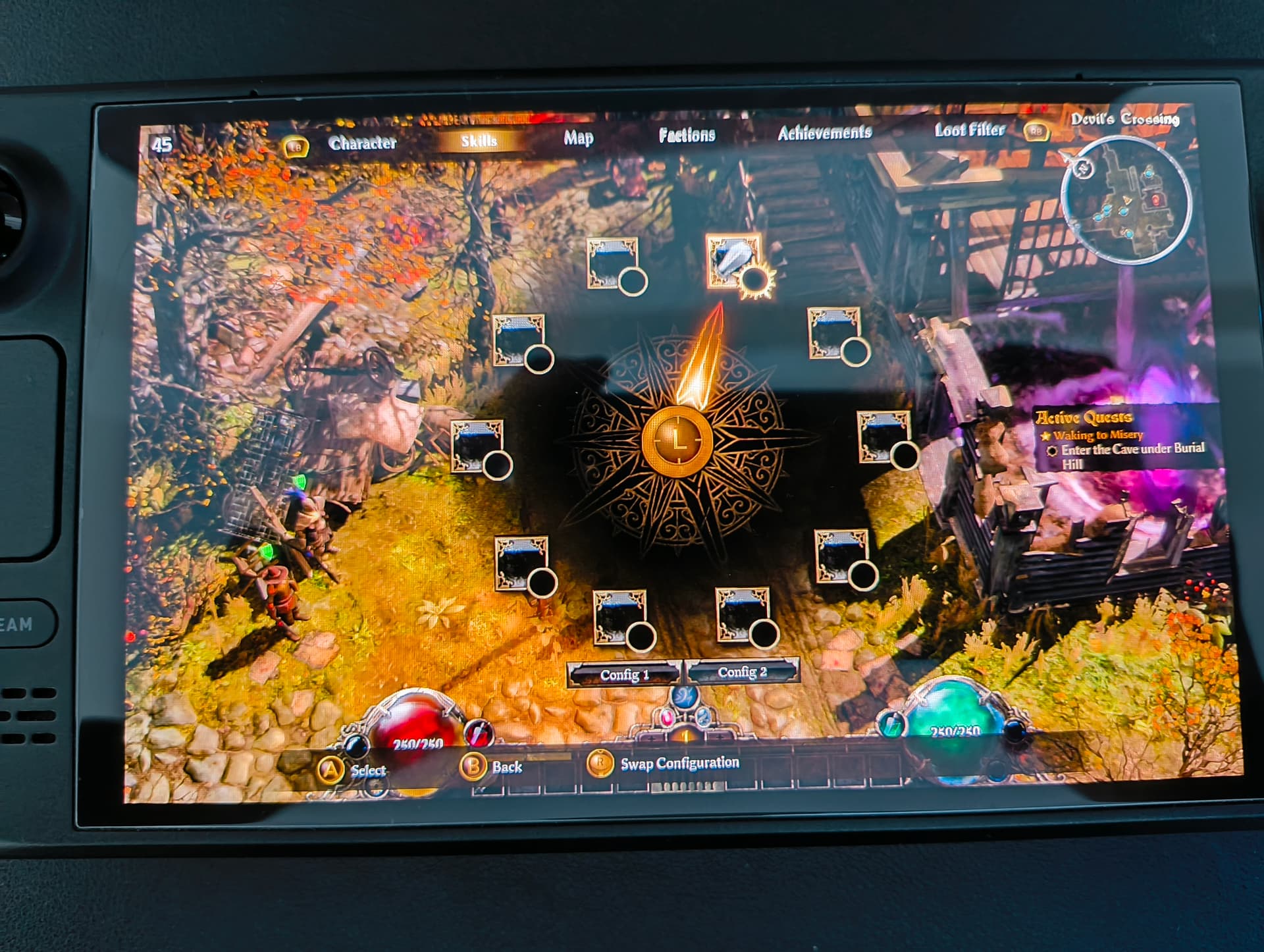
Hi all, I’ve started playing on the v1.3.0 playtest on my Steam Deck. But unfortunately when I went to pick a class and assign skills, the control icons don’t show up… no matter what. All my settings except the graphics are default. My Steam controller settings for Grim Dawn are also the official layout.
The things I’ve tried:
Deleted my keybinds.txt and options.txt
Reset the keybinds to default multiple times from the in-game options menu
Enabled/disabled non-Steam input from the in-game options menu
Deleted my character
Uninstalled/reinstalled the game and started with a new character
But it’s the same, no control icons on this radial menu. I know the game is not officially supported for Steam Deck but I’ve been finding threads dating back a few years with the same issue so I assume someone in the community has a fix.
Additionally controller issues: The D-Pad is not set to anything on the official layout which is weird. And pressing R3 on the assign skills menu doesn’t actually change between Config 1 and Config 2.
Yeah i also noticed the thing with the D-Pad not assigned to anything. But you can assign the buttons manually, which is nice. I think i never saw the Button icons on steam deck.
The Steam Deck controller configuration has never had button inputs, you would have to switch to xinput to get them.
In regards to the d-pad being unassigned in the configuration, used to be the B button and d-pad were left unassigned for some reason but they were being picked up by the game still as being bound to their correct functions, but recently something broke and now they aren’t being picked up correctly. This was especially bad for as it evade wasn’t even in the controller configuration as something you could bind, thankfully they fixed that and it’s bound correctly now, but I guess they forgot to also rebind the d-pad. Atleast now you can properly rebind all the buttons yourself to the major game functions.
In general, Steam Deck support has taken a back seat to getting FoA finished, so I wouldn’t expect a fix for the button prompts till after that.