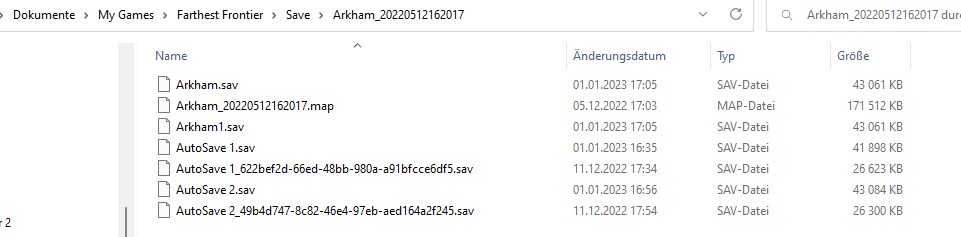
My problem with the game is that after restarting the game a bunch of Savefiles got deleted.
And somethimes if you try to load a game you can see the “FrontierSaveFailed” file in the Loading Tab.
It’s annoying as you can imagine.
So before rrestarting the game you can see all the saved files. (Autosaves and Manuel saved files).
But after the restart of the game they are gone. (not all of them but at least the last ones)
Maybe you can fix the problem soon.
I am not sure what to do here.
Greetings from Austria.
Ps.: Its a pretty nice game what you did there :D, love it.
I have the same Problem - no OneDrive.
The saved files are stored in different locations!!
Look at your Document Ordner → My Games → Farthest Frontier … and there is the same in
C:\My Games-> Farthest Frontier …
I do not know why, but once he saves them there then again on C: → just copy folder.