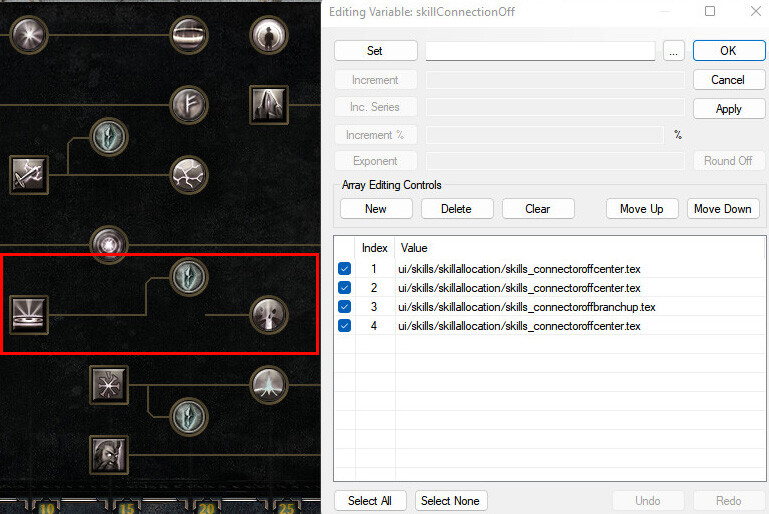
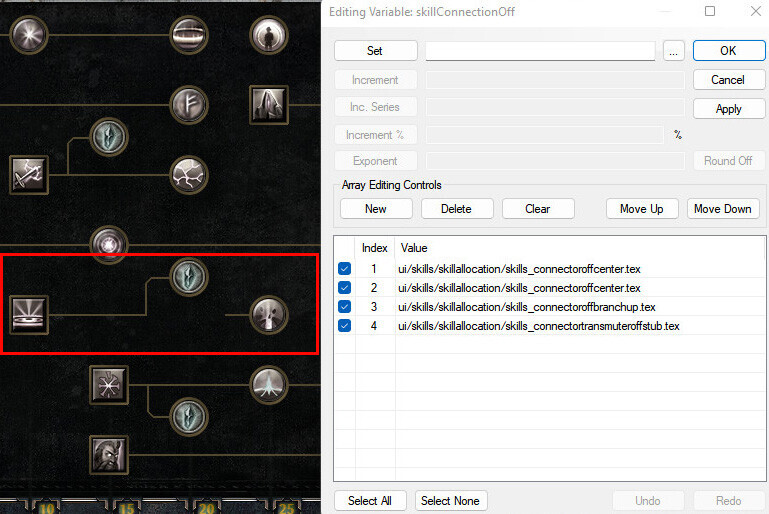
I’m trying to update many of the UI elements that changed in 1.3 for Grimarillion and I keep running into these weird issues and I just can’t seem to figure out the cause. It feels like a bug because it works in some conditions but not others.
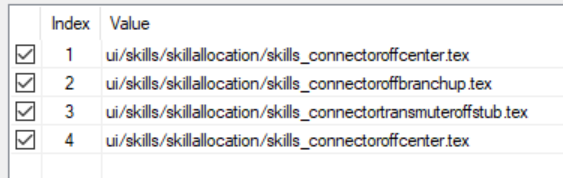
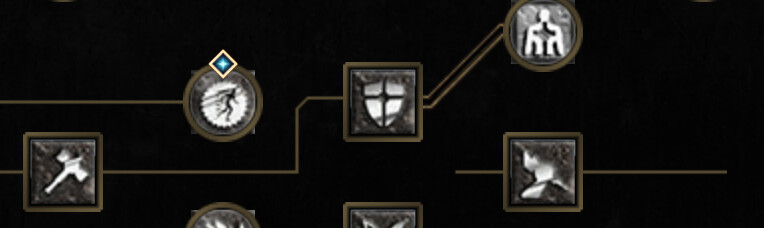
This skill doesn’t “connect”. I’ve tried every variation, transmuterbranch, upbranch, downbranch,
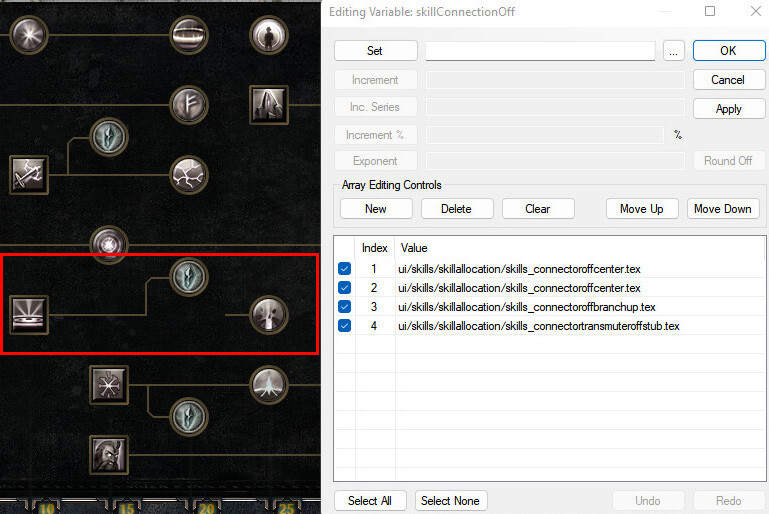
including the stub connector and it just doesn’t work.
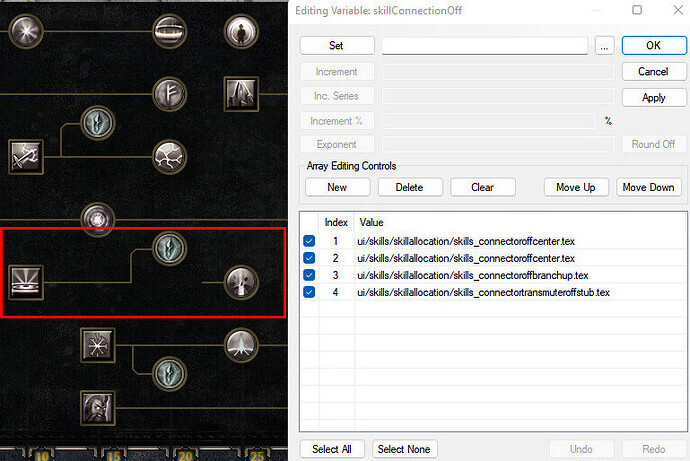
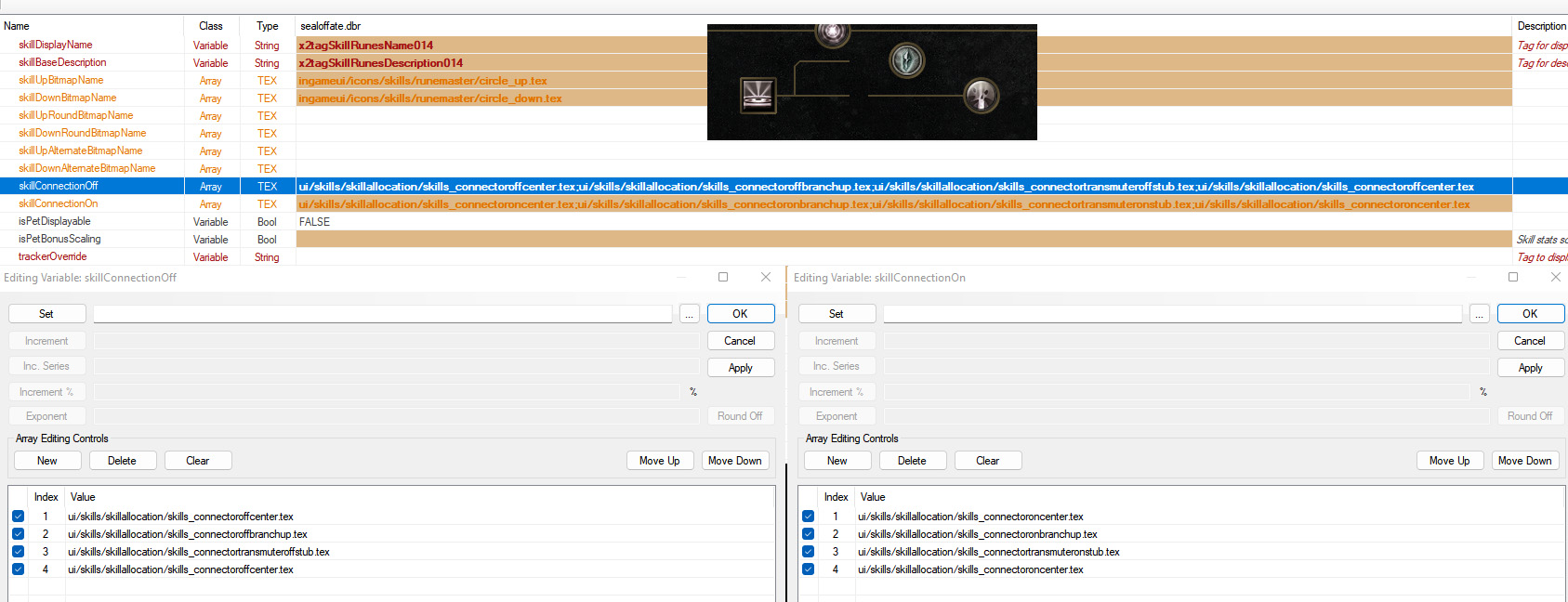
I completely redid my ui skills and updated my classtable ui file to make sure the skills are in order. I realized that seemed to cause issues for other skills in other masteries, but this should be fine, the order is correct. The image below is my relevant ui/classskills folder, with classtable file open to the right.
Like I said, I’ve been working on this for days (when I have time) and have tried god knows how many configurations and ui tweaks and rebuilds… I dunno, it seems like a bug because it seems to work in one position but not another, but if it’s not, I’d appreciate any tips if there’s a trick to this.
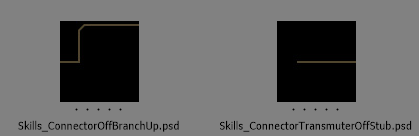
Hi Asylum, we updated the connectors for branches to account for the changes to how they highlight. You need to use a combo of connectors and the new stub bitmap for the branches:
I’m not sure why you would have the issue on some skills and not others, however. If you can’t get it to work with this stub bitmap, there may be a sync issue on the build. Please let us know if that is the case!
I considered it, but I have no way to tell. When I compare vanilla ui skill files or the skills themselves vs mine, they look identical and my files have been recently extracted. (5 days ago)
I do know the caravan is missing a template, I already updated the template on my end but haven’t gotten to working on the stash itself yet.
Below is a format of Skills_ConnectorOffCenter > BranchUp > Skills_ConnectorTransmuterOffStub, which is identical to what I’m trying to do above, but with one modifier just before the branch and more center connectors afterwards.
I even tried to move this connector setup to my broken skill, but with no luck, weirdly enough it cuts off at the last skill instead of continuing past it.
I have a bunch of skills that do work with this setup, and the only “pattern” I have noticed is that these branches work perfectly if they are in the second “slot”.
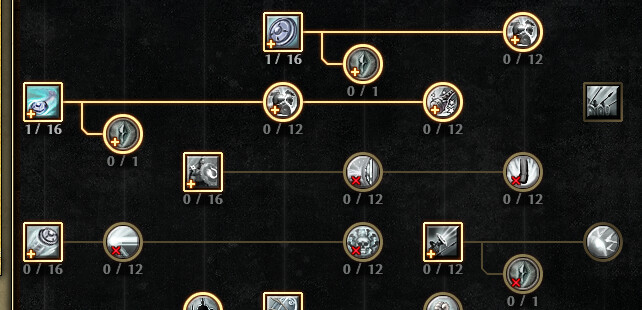
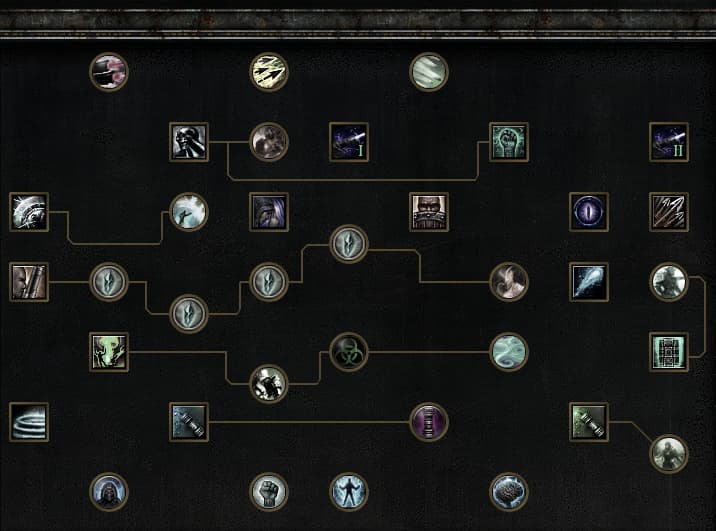
Another mastery example where you can see all the branches/stubs working fine:
The only thing I noticed is that it seems to be an issue where the farther a branch goes from a skill or modifier, the less likely it is to work.
Two changes will need to be made to existing modded assets for the new connector system.
First, each ClassTable.dbr has to be updated in each mastery. The order of “tabSkillButtons” determines the order for the skill connectors.
Second, as Allminoxy said, Skills_ConnectorTransmuterOffStub.tex needs to be added in after every Transmuter type of Branch connector present in the parent skill.
That should be everything, let me know if you’re still having issues.
Yep I did, I actually figured that out a few days before I posted this and restructured everything to be sure my ui order was perfect. You can see a segment of the classtable here:
Seal of Fate, Transmuter, and Aftershock are in the proper order, right? Skill > transmuter > mod1…
Also I don’t know if it matters, Seal of Fate is a player scaled pet. The transmuter is using a spawnpettransmuter template, and the Seal of Fate is using a targetedSpawnPet template. The modifier is your usual secondary_petModifier to unlock a pet skill.
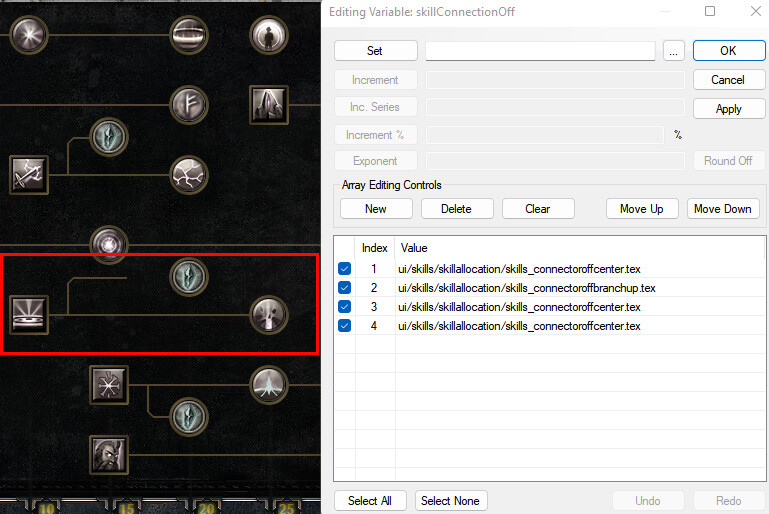
Unfortunately I did try a similar setup earlier… If I do exactly that, I get an outcome similar to my third image in the OP. Here is the outcome exactly as you said:
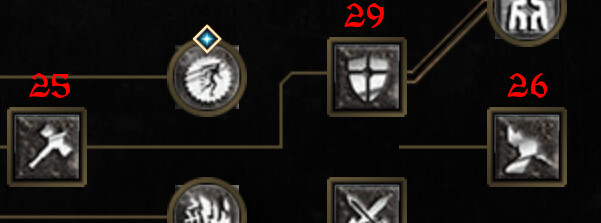
Let’s see another scenario. I have Active skill (#25) that required to unlock 2 another Active skills (#26 and #29), one of it placed with “transmuter align”.
I placed it in ClassTable with new order and add Stub to skillconnector lists (both on and off)
Problem apparenly is that branched skill is not transmuter, what is not provided by new connector logic.
Only solve I see is create new custom branch image.
Same things occurs with branched modifiers/secondary modifiers is not transmuters.
Here’s an example of what I was able to come up with creating custom bars using the new bar style to fit for zenith’s wonky skill trees. (None of those transmuters are actual transmuters)
Yes, the current branch system is only designed for Transmuters. That said, I can add a manual tag to skills for non Transmuter skills that you want to use as branches. You’ll find “isBranchSkill” as an option under UI Information in the next build.
@ASYLUM101 Your setup looks correct, but it looks like your data is still irregular in some way. If you want, you can upload the relevant modded files here and I can take a look at them to see if anything can be adjusted for your unique setup.
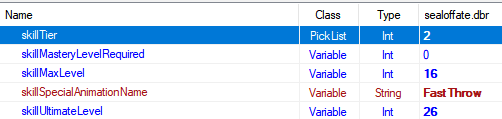
The “skillTier” value of sealoffate.dbr was incorrectly set. Changing it to a “2” from “3” will solve your issue.
The difference in “skillTier” values corresponds to how many connector pieces are assigned to the next skill in line. Transmuter (or isBranchSkill in the next build) skills will force the next skill in line to use an additional connector piece because of the addition of the new stub connector.