Hello,
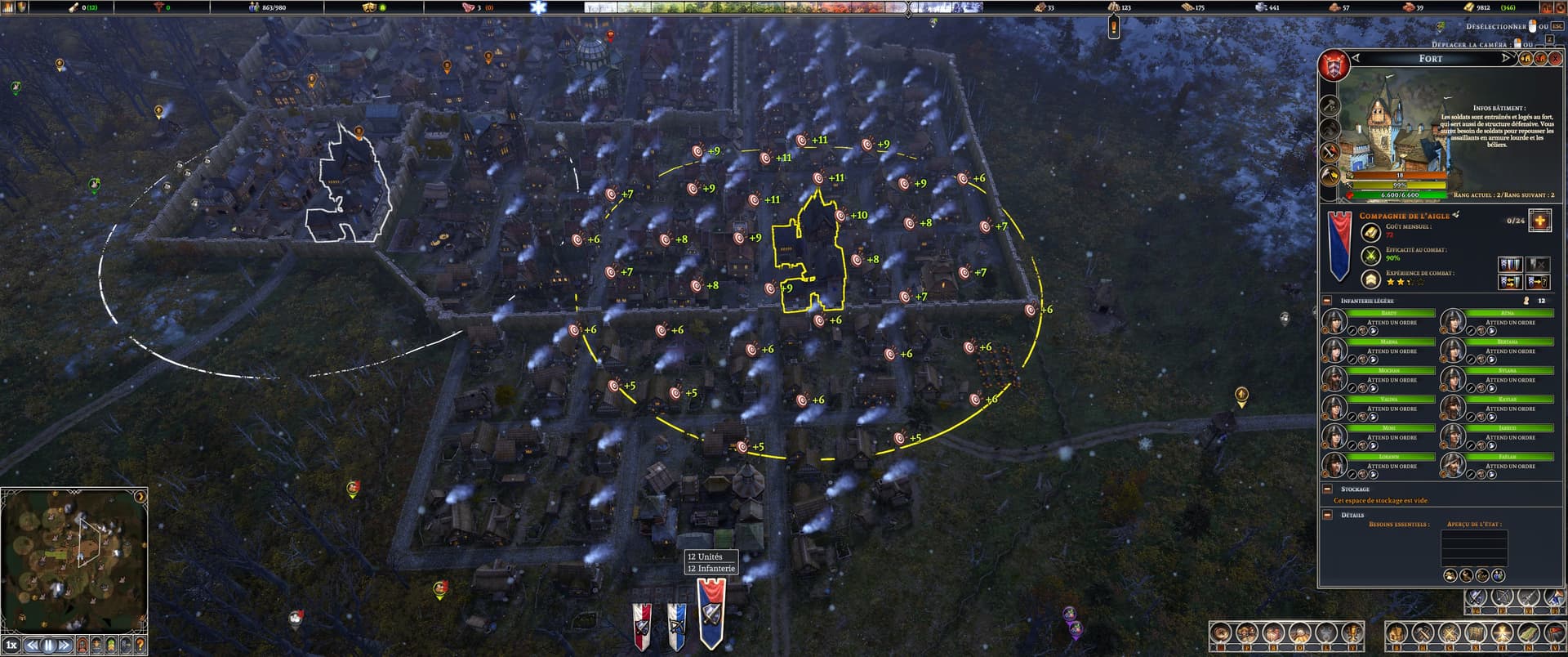
After upgrading my fort, the soldier count shows as zero in the fort details. However, the soldiers can still be selected and managed, and the unit selection banner displays the correct number.
Since the fort’s soldier count shows zero, the game allows me to recruit an additional 24 units, even though there are already 12 soldiers assigned. This effectively lets me reach 24 soldiers instead of the intended limit of 12.
The game crashed the first time I tried to move them, but after restarting, I was able to reassign them to another fort. Once that worked, I could move them back to the original fort.
I am providing a download link, valid for 7 days, so you can access the save files.
I have had similar issues after upgrading my forts. The number of available soldiers and listed soldiers varies but the issue is the same. I’ve tried many different things to correct the problem. I’ve tried releasing the soldiers but some still show up as members of the fort even though they are no longer soldiers. Disbanding the company also has had mixed results with some soldiers leaving and others still listed at the fort.
The last time this bug occurred for me I ended up with no choice other than destroying the fort and starting again, which as you know is an expensive solution with an improved citadel. Also losing all their weapons and armor.
The only thing that has occasionally fixed the problem is moving the fort. Sometimes it works and other times it doesn’t.
Is this an “immediately-after-reloading” thing? You can see the stack of processes refreshing in real time when you reload a saved game. Annoying if you didn’t know what was happening.
This issue occurred during a continuous gameplay session of several hours. The crash and subsequent restart only happened because I discovered the bug and tried to fix it myself by experimenting with different actions.