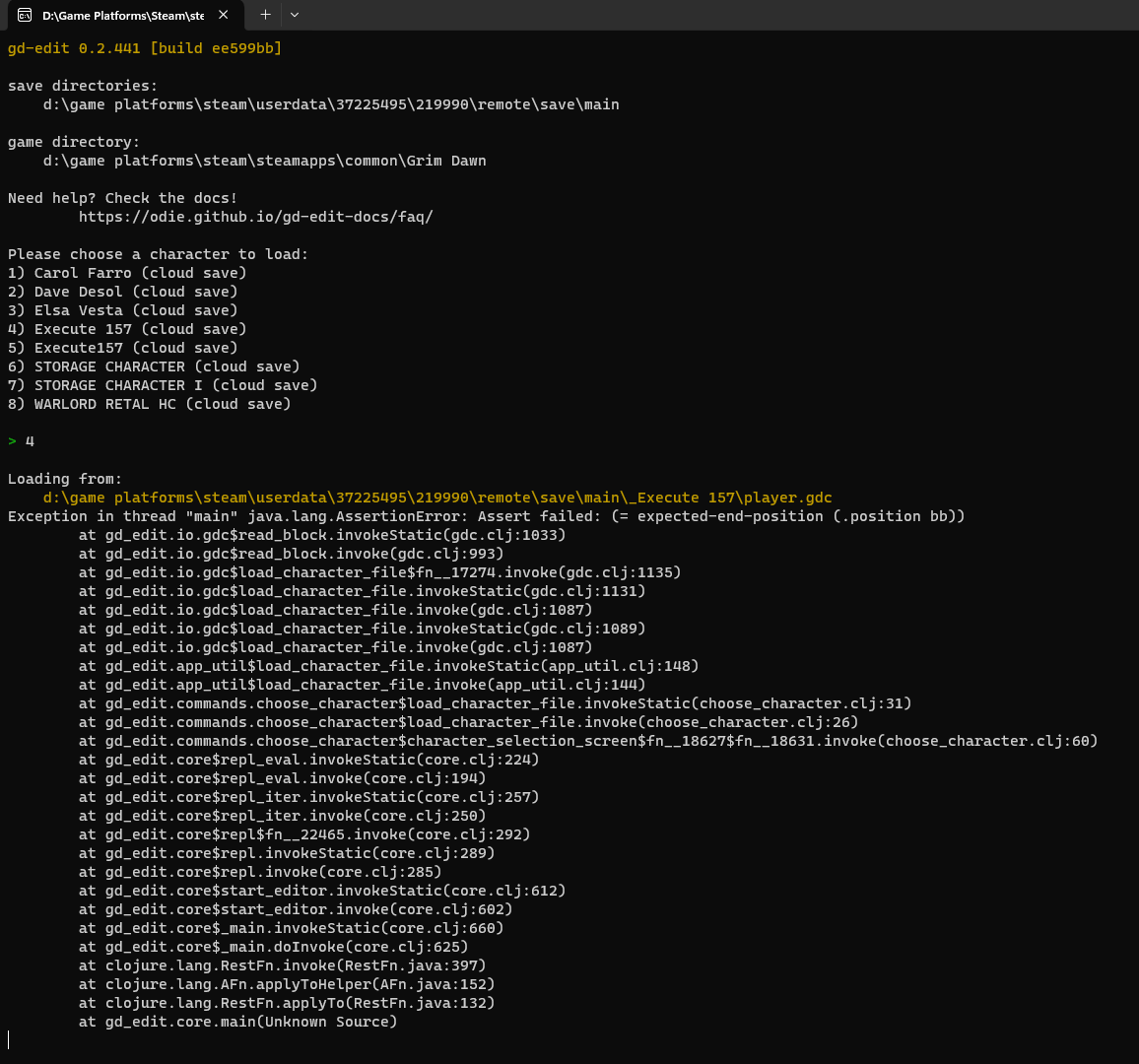
Can you run the “diag” command and share the output here?
In the screenshot you shared above, it looks like the game editor thinks it doesn’t know where the gamedir is, but when you run the “gamedir” command, it seems to have been set to something at least. The”diag” command will check if the editor can find all the files it needs to function correctly.
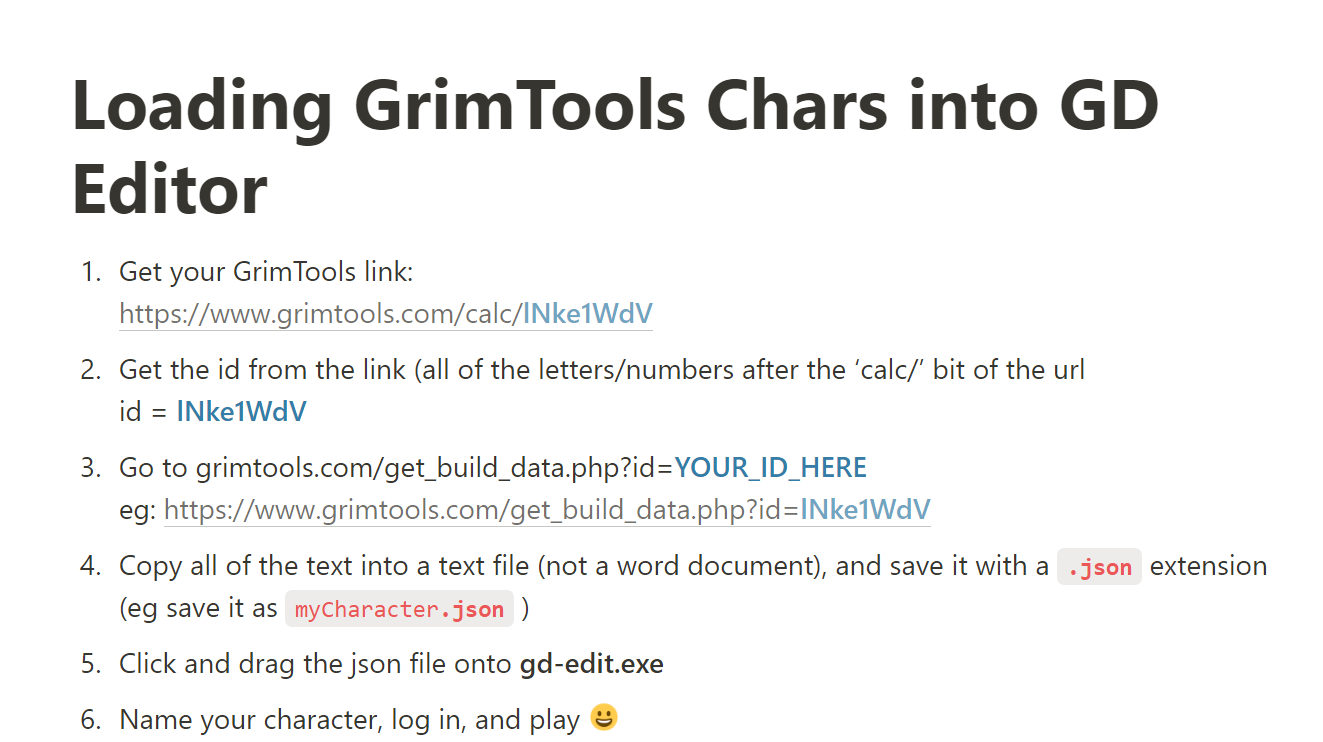
At the moment Dammit’s tweaking security on his GrimTools servers which is preventing tools like the GD Save File Editor from being able to get data properly from GrimTools URLs. But for now, there is a manual workaround if you want to load up your GrimTools chars through GD save file editor:
If only this lovely solution would work with offline app of Grim Tools… It doesn’t and the author will remove the DDoS protection from Grim Tools website unless the traffic, caused by Last Epoch, subsides.
if it’s teh same what happened to GDstash lately then patch 0.4 altered something with char save format, requiring GDstash to get an update, it might be the same for GDsfe
Hi im playing the DOM mod and there is two barbarian masteries in the mod with the same name, i can only remove/add 1 of them. Can this issue be solved on this end or the DOM mod have to change its naming?
Sorry, I’m unable to access my windows machine at the moment to figure out what might be happening.
You might try telling the editor that which mod you’re using with the “mod pick” command. It should(?) have a better idea of the mastery classes available then, items, and affixes.
Here the link to the short documentation of that command.
I don’t suppose there’s a way to add inventory bags with this? The first bag you get bugged out for me when joining a friend’s multiplayer game and just disappeared.
I’m trying to use the list command. Whenever I try to use it - with either a simple command like
find Mighty
it crashes with a java exception
Enclosing in quotes find “Mighty” has the same issue
I’m trying to find an inventory item in a transfer stash in a mod.
The mod is loaded in gd-edit along with the character.
I can list all the inventory items with show transfer/5/items
This works just fine. Not sure if this means the find command has an issue or something else is going on.
Here is the pile of java output when the find command is used if that helps …
I am using the latest version of gd-edit (INFO [gd-edit.core:325] - gd-edit 0.2.442 [build bf2e47a])
Another issue I seemed to have run into. I’m trying to delete items from a transfer stash.
It will run remove tra/5/items/5 for example but it errors out if I try to use remove tra/5/items/*
It comes up with a message “Sorry, a structure filed cannot be removed”
This used to work (though it’s been a while since I tested it)
I just pushed an update that should solve both of the issues you’ve encountered. As the editor starts up, it should identify itself as: gd-edit 0.2.444 [build 7a92b4a].
Note that editor no longer loads shrines and gate names. Some file format seem to have changed and I won’t have time to investigate further until I can get access to the updated game files when I get back to my computer in about a week’s time.
Anyway, let me know if I’ve broken anything with these changes! x)
Thanks for the update. Updated version using update and it updated to the latest as per your reply.
Both command that borked before now run.
Did see the error about shrines and gate names but that isn’t an issue for me, at least for now.
I ran show tra/5/items/* and this gave a java error. Given you don’t really need the wildcard it doesn’t really matter but thought you might like to know.
I’m still looking at how to grab the stats of generated items, which has been a holy grail for me. If it works I’ll be back in touch.