This sounds risky as hell, think I’ll wait for the update 
What risk is there?? Copy/paste a file, stash away. If need more gdstash then copy/paste again
Copy/pasting a stash file ain’t gonna bork your game 
i can’t see a bunch of items in my stash in-game, but i can see them in gd stash. IDK what is going on, haven’t played the game in about a year and this is bugging me, a bunch of legendaries are just not visible in my shared stash.
edit: i think after an update the program automatically “found” a path of the saves, but the game itself uses a different path. I think I’ve managed to correct it.
Version 1.8.2 released
Supports the Grim Dawn 1.3.0.0 save file formats
10 Likes
Pulling items from the stash and saving the stash doesn’t appear to work while you are in the game, only when you’re in the main menu. The items do get properly removed from my own database but they don’t appear in game. That’s new, and perhaps unintended?
Thank you for the continued work on this fine tool. 
It appears that GD itself holds the stash files hostage while you are in-game and cannot be altered or copied over until you exit. I’m guessing this is an intentional design with 1.3.
That is not something I can control on my end, nor do the changes I made have anything to do with this. The tool cannot do more than write the file, it is up to GD to decide when to read it.
From my limited test I agree, it looks like GD reads the stash right when you enter the game now, a change I made after entering and before opening it was not reflected in game.
1 Like
Well that’s unfortunate, editing builds is now somewhat slower. C’est la vie.
I wonder if this is a side-effect from the new functionality to transfer components and materials to the stash from anywhere, not just from the stash UI window.
1 Like
Probably, too much of a coincidence that these two things happened at the same time independently, although the components are stored in a different file and just shown in the stash
Hi! First of all many thanks for the great work you did!
I’m having a weird problem, sudenly GD stash doesn’t seem to load my items anymore. I mean the items stored in the GS stash, not the items from my save folder.
When i press search nothing appear, no mater what filter i use.
I tried many times to reimport and things alike but i can’t figure the problem.
If i go to C:\Users\UserName\GDStash\db the segs folder is around 880Mb so i guess the items are still there.
Any gues on how i can fix it ?
Many thanks in advance!
the folder contains a lot more than your items, basically all the data from GD used by the tool and processed during the import.
Your collected items are in a single file, if you are on the current version that file is c3d10.dat
Each mod has its own database and item store, so the most likely case is that you collected items in vanilla or one mod and are currently looking at another mod.
Thanks for the reply!
I went to the configuration page and under Selected Mod i can see “empty space” and survival.
I tryed switchg back and forth between the two but still nothing…
In theory i always stashed under vanilla.
Inside seg0 i can’t find the file c3d10, i only find c3d1, not sure if it is the same.
The version i was using was 1.8.1c, i recently downloaded 1.8.2, that’s when i noticed the problem, but i wasn’t for about a year so i’m not sure when the problem started.
Any other things i could try or check ?
Unfortunately not, if you have items they should show up, the only time they would not show up would be if you stored them in a different mod.
Vanilla is when you have no mod / an empty entry in the Selected Mod drop-down. Looks like you did use that to store items as you do not really have any mods installed (survival comes with GD).
GD Stash keeps the items around across versions and database imports, so they should show up and you accidentally having selected a mod seemed like a plausible explanation for why they did not.
Depending on how comfortable you are with it, you could install SQL Squirrel and dig around a bit in the GD Stash database. You can download it here https://squirrel-sql.sourceforge.io/
To connect to the DB, use the Apache Derby Embedded driver and the following URL: jdbc:derby:C:\Users\username\GDStash\db;create=true
That gives you access to the database, you can see what tables there are, etc. You can see quite a bit without using any SQL, but past a certain point you will need SQL.
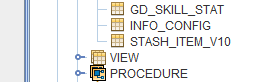
I would mostly be interested in which STASH_ITEM_V* table you have. Connect to the database and look for the last table in the below list
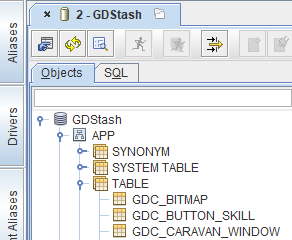
It should be V10 since you are on the latest version
Hi, i finaly figured out the mistery!
Apparently i have two GD Stash folder, one under C: path and one under D.
Originally it was saving everithing under the D path, however i’m not sure how or when, the path changed and now is saving everything under C path.
Wich is a bit weird because i always keep it under D
Do you know how can i change this setting ?
GD Stash is using the user’s home directory as defined in Windows (environment variable USERPROFILE)
Alternatively, and assuming you do not have any items stored in the current location (and you know which one is being used, or make a backup first…), you can simply copy over the files from the old location to the new one. Worst case you will need to import the database again, but you should have your items back.
I guess since mamba is still active here, GD stash will be updated for the upcoming expansion when its out? Any rough estimate how long it takes to update it? (days, weeks?) And because I am already here, great job with that tool, thanks alot =)
For the most part it already is updated, you just do not notice because you do not have the expansion beta 
What is left to do is double-check the shrines and figure out the IDs for the rift gates (by a char unlocking them in game), that might take a few days, but chances are I have that data before the expansion is out
2 Likes
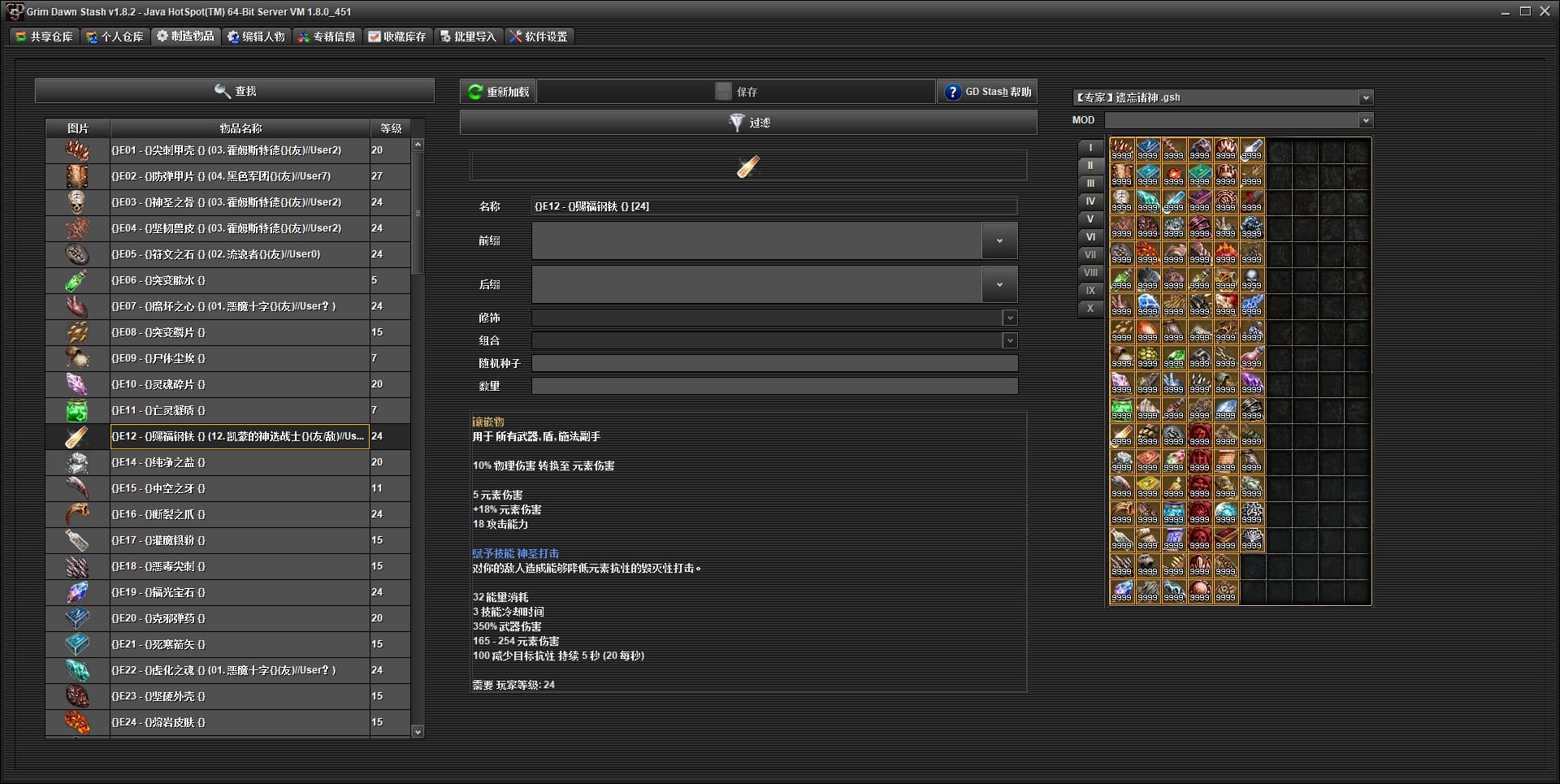
As feedback, there are a total of 107 inlays in version 1.3.0.0, but GDS can only find 106. Do you know why and how to solve this?
The missing one should be…
tagCompA013Name=Venomous Fang
tagCompA013Desc="A ferocious fang still dripping with foul toxins."^w^n(Used in melee weapons)
you sure that’s not a FoA comp?  - or a removed one from old days perhaps
(i also don’t see a mention in v1.3 changelog about new items added to FG version)