Hello,
Is it possible to add active window, Grim Dawn window that is, detection? So that if I alt-tab out of the game, damage meter would hide?
2 Likes
The nemesis kill counter is very interesting, thanks.
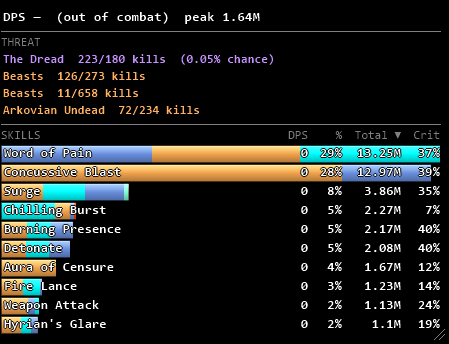
Minor bug report:
Cronley’s Gang counter shows as ‘Beasts’
1 Like
Fixed. Thanks for the report.
1 Like
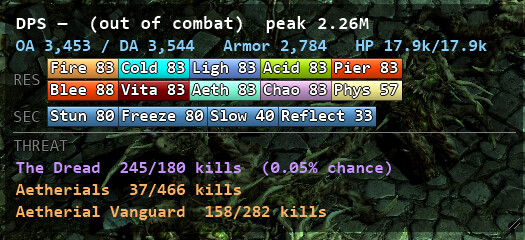
I was farming exclusively on crown hill and it was showing aetherial kills as beasts too? You might want to take a look at this tag too
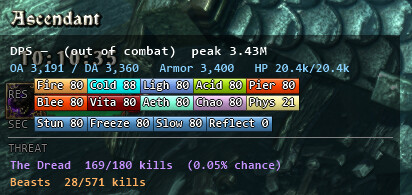
That’s really weird… it’s working on my end
I’m using 1.6.2
1 Like
Sorry. Looks like its because of a tempest totem which spawned a ton of beasts.
Updated to 1.7.0.
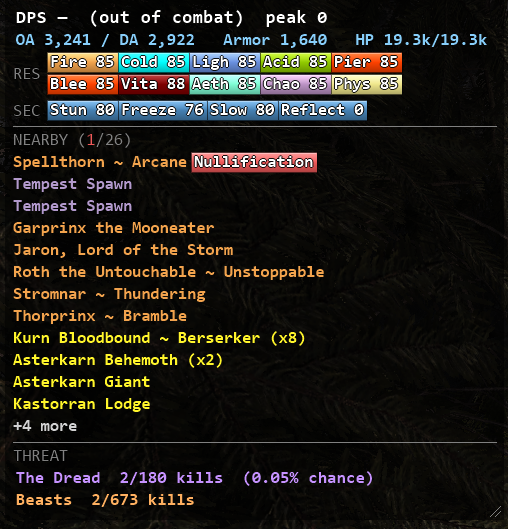
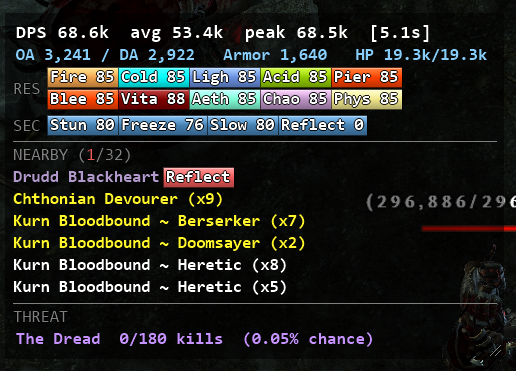
Added a new section that shows names of nearby enemies.
Enemies that have dangerous game mechanics like Sunder, Nullification or Reflect have blinking tags next to them. Some enemies may have multiple tags.
You can hide names of less dangerous enemies in settings.
You can hide the whole section in settings as well.
3 Likes
Hey JohnDoe, is there any way for me to improve performance while having the Combat Analyzer open? I get slight hitching now and then, especially entering fights.
I’m not sure if it’s putting my Grim Dawn in background mode or something else.
Probably just a setting on my side on my GPU/Desktop but not sure what though.
When you put Combat Analyzer in focus by clicking on it, Grim Dawn will go to the background and will run at lower FPS; I believe this is Grim Dawn’s default behavior. If you’re instead talking about performance drops while entering fights then I’m afraid I can’t be of much help, since the rendering of the overlay and the combat hooks are all pretty low cost already.
Is there a github repo we can check out ?
Thanks for the tool!
I am reporting that the playtest build is crashing to desktop immediately after startup. We are looking forward to the update.
There’s now an updated version for v1.3.1.0 playtest.
3 Likes
Thanks from the bottom of my heart for your incredibly prompt response.
v1.9.1 is up: updated engine structure offsets for Grim Dawn 1.3.1.1 (64-bit).
1 Like
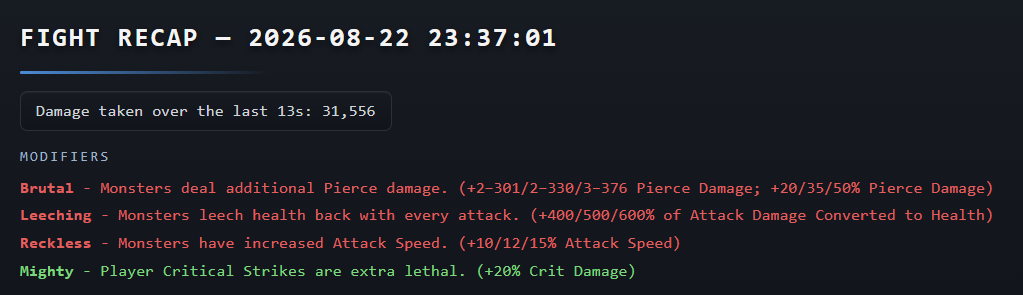
Hey, thanks for the update, I’ve really enjoyed using it, but the “fight recap” feature confuses me, it seems to show… damage taken? I’m not really sure what it does, it only gives me a few bars when I try to activate it.
Ideally I’d like to see a wowmeters style breakdown of a recent fight, how much each of my pets did, how much damage they took, how much healing, from what, etc.
Thanks!
Actually ‘fight recap’ just seems to be broken now? No matter what if I click it or press the hot key I can’t get it to popup a report.
Unlike DPYes, Grim Dawn Combat Analyzer has its own window so you have to click on the overlay, and then use the hotkeys to open fight recap or death recap. You’re correct in that fight recap and death recap only show damage taken. The feature was intended to be a “what killed me” report that was later changed to also cover fight sessions.
Yes, I’m right clicking on the overlay and selecting the menu item ‘fight recap’ and nothing opens (the auto open death recap on dying works as expected).
I think the main question I’m currently trying to answer with a fight recap is how much healing are my pets getting from the raven’s mending spell.
Yeah that’s doable. I’ve added tracking sections for pet damage taken and pet healing received in the latest version v1.10.0 (Tonic of Mending is from potion modifier Alterom. I also just learned Ground Slam (not the skill Ground Slam - the other Ground Slam) has innate ADCtH of 50%)
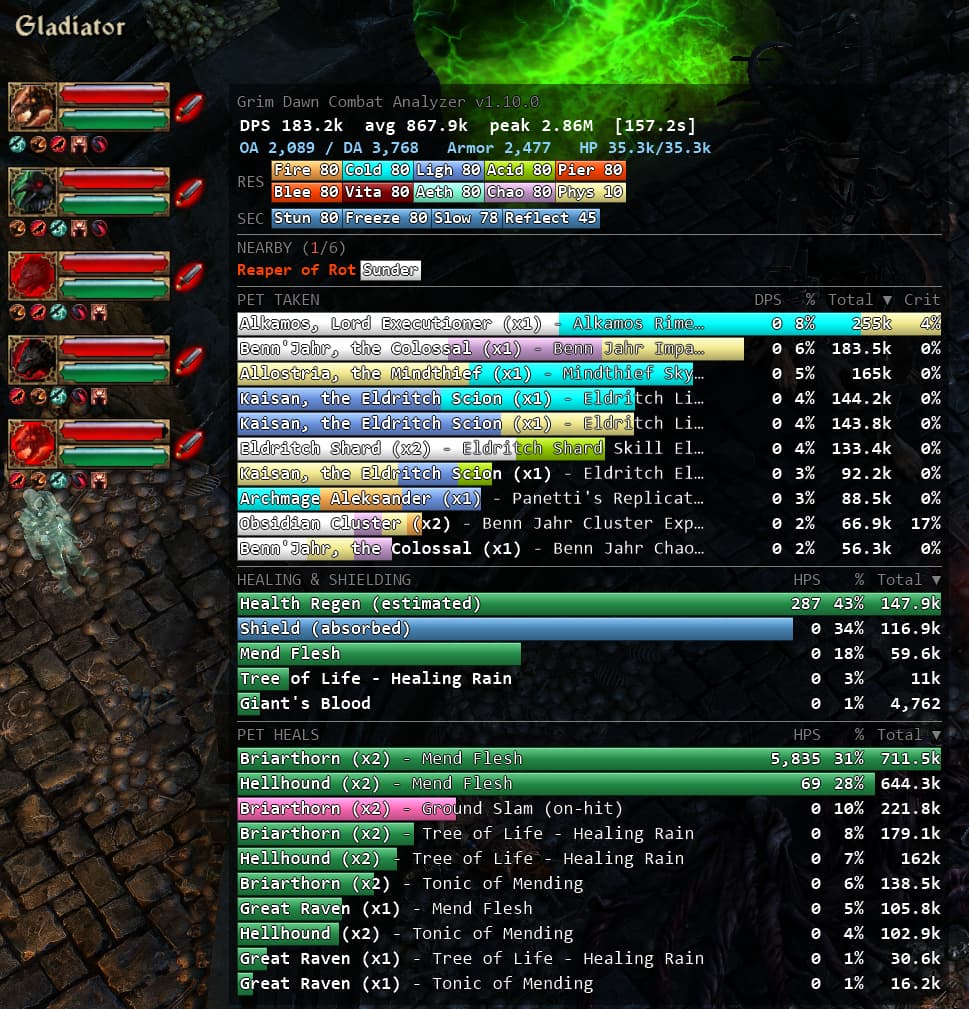
Is that showing that a briarthorn received 711k healing from the mend skill?
That’s pretty good, would be more useful to limit it to a single fight I think.