Unsure if related, but I am seeing strange behaviour from one specific item, which is Gazer Man (the John Bourbon drop, not the one from SR).
It gets teleported into IA but it is not visible in a search in the IA itself. Whenever I start a new game session (restarting IA and Grim Dawn) the item gets automatically loaded back into the game.
There doesn’t seem to be any record of this in the log (I may be missing it). Log here is captured just after startup when the item has dropped back into the game: log_startup_202603140958.txt (15.6 KB). There are some errors in the log but IA seems to be working correctly, except for this item.
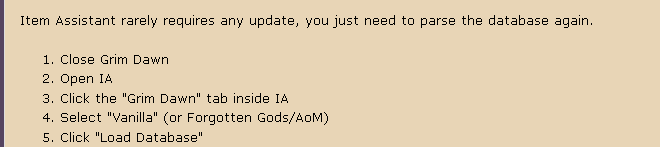
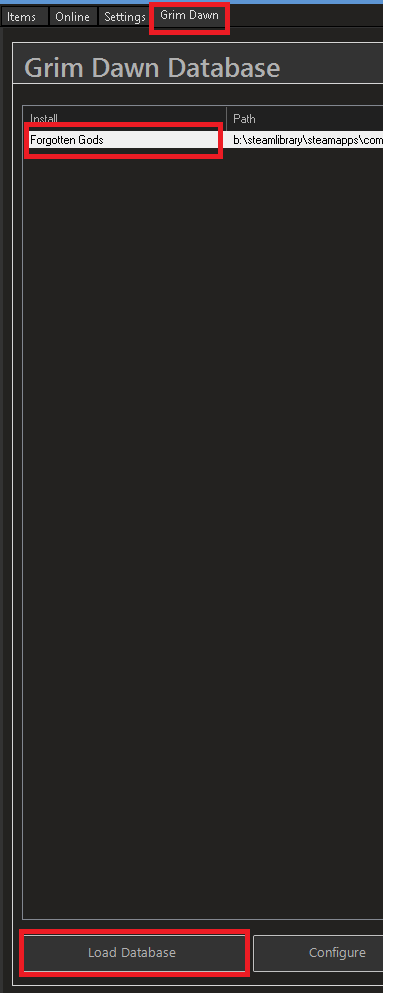
I have parsed the database since the last GD update.
from what pete (iagd) and mamba (gdstash) are saying interaction of the game with the stash file has changed. were previously the stash file was read out and loaded into memory once you opened it in-game and written to immediately upon putting items in it is now read out once you load a char and all changes happen in-memory so the file is only ever written to once you go back to the main menu or something.
at least that’s what i have picked up and i only tested it once but with the old looting method checked meaning it should only get items after i’d left the smuggler which did not work (did a few attempts). but i would also expect the immediate method to not work because iirc the tool relies on windows read/write events - which there are none if everything happens in-memory now.
Tested by reverting to default game. Al;so had to revert to baackup save files. Items are still disappearing so its my database. I’ve tried clean cache.
Tried using load database and IA crashes to desktop. Now unusable. How do I delete the DB? Googled it.
I kept a backup of the db if needed. Log file doesnt seem to show any errors. Doing a clean reinstall
Yes, I saw that. What I have found is that on the surface it works the same as it has always done, as far as uploading and downloading items is concerned. The only issues have been with items to be used in crafts and now Gazer Man. (Well, at least it is only affecting something useless )
Seems to loot but the items are not showing up in the list. Items already in DB will transfer to stash. Maybe using mules IS a good idea. A pain but reliable.
It’s been working fine for me, though I have heard that there are some issues with items used as part of crafting recipes, like Troll Bonecrusher etc. If you loot it from IA the game doesn’t recognize it as useable in the recipe I guess. I haven’t tried myself yet.
Ive has that issue as well. Additionally, I had an issue where i couldnt get into the Sanctum of the Chosen with a Chillheart that was transferred using Item Assistant. I havent tried other quest items yet but when i farmed a new chillheart it worked.
I had over 5,000 items on İtem Asistant. Now I can only view only 1,000 of them. I checked the database, but it didn’t help. At the bottom of Item Assistant, it says “1,000+ items,” but it only shows 1,000. It doesn’t display the remaining 4,000 items. It isn’t showing the other items. What do you think the problem is?
 )
)