Honestly I can live without most of GI, I just find clicking on every thing that drops to be tedious. It might be because some of my options say “tag not found” and I will have to look into that later. I just miss being able to run through and not click on every rare piece of gear. Although now thinking about it, I understand one of the gameplay options. So I will have to revisit it tomorrow. Thank you for the clarification G_I
tag not found means you need to update rainbow filter
Ah, I always forget that.
ah…sry for my noob question …if i go back to using the beta 1.9.9.8 it will not have the new content from the game in it will it?
nop
bugger…ok so is there any applications like GI that provide the same or similar modded functions?
nop
or atleast not that i’m aware of
Crate have included some features from GI into the game proper with the latest patch, but that’s it.
there’s a DPS meter but I haven’t tried it yet and it hasn’t been updated in 3 months so I’m not sure if it even works with GD 1.2
Can confirm that it doesn’t work for 1.2, tested it out yesterday.
I would just really love the increase the whole game speed, mobs and players, i heard it was possible with CE, anyone tried it?
sounds like you should try a dark ones vitality bloody pox build with fevered rage 
Game Speed change in the post-apocalyptic Grim Dawn without Grim Internals
I know / have multiple ways to increase game speed. Here they are from the simplest (using native game’s features) to the most elaborate using other programs (Cheat Engine, GDHacker, GDAutocaster). Let me know if you’re interested in one of them then I’l give you more details.
-
playing in Custom Mode (moving your saves there) and just typing an appropriate command in console after you launch the game
-
unlocking a console in Main Campain using Cheat Engine (needed for every launch but it’s quick) and typing the command like in (1)
-
simple .exe (my GDHacker) that you have to manually run after launching Grim Dawn and alt-Tabbing which changes the speed
-
Program running in the background (my GDAutocaster), detecting GD and applying the speed change automatically or on a keybind (with the help of GDHacker)
- can be running constantly on your computer / added to autostart if you don’t hibernate but turn off your pc so that you literally don’t have to do anything / run .exes or any programs to have the speed change
A video of the above (4) in the keybind version
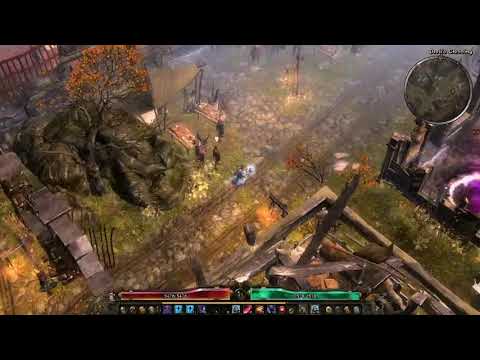
3 Likes
It would be super awesome if we could set time permanently to a desired value. Right now with day/night cycle off, it’s set to noon which sucks. I really miss playing with permanent night time.
1 Like
You are amazing!
The 1st : would i have to type it in the console every time i start? Would i lose the achievements on a Custom Mode?
The 4th : Without using a keybind, would i just after setting up for the first time just need to run a single exe and be done?
Yes, you’d have to type Game.Speed 1.7 for example. Not sure about achievements but I doubt you’d lose any? Does GD even have such checks? Someone will correct me on that if needed because this thread is popular.
If GDAutocaster, my program I always use (although not for speed change) is running in the background, it applies the speed change on its own, automatically, when you enter the game
I personally don’t ever turn it off (and hibernate my laptop) so I don’t need to launch it with every Grim Dawn launch. And if someone turns their PC off instead, the program can be added to autostart so that there’s no need to launch it manually.
And advantage over 3 is that you don’t have to Alt + Tab before running the .exe
and if setup as above, don’t even have to run an .exe
Anyway, you can try multiple ways as well to see which one you prefer.
1 Like
Can you link the build for me friend?
That is amazing, even if i close the program, just creating a .bat executing it and Grim Dawn’s exe would suffice?
and
There u go! 
1 Like
Sure. You could use BAT with simple .exe too athough some Sleep for .exe might be then needed? not sure