
A Tool to Display Grim Dawn Combat Info in Your Style
Usage:
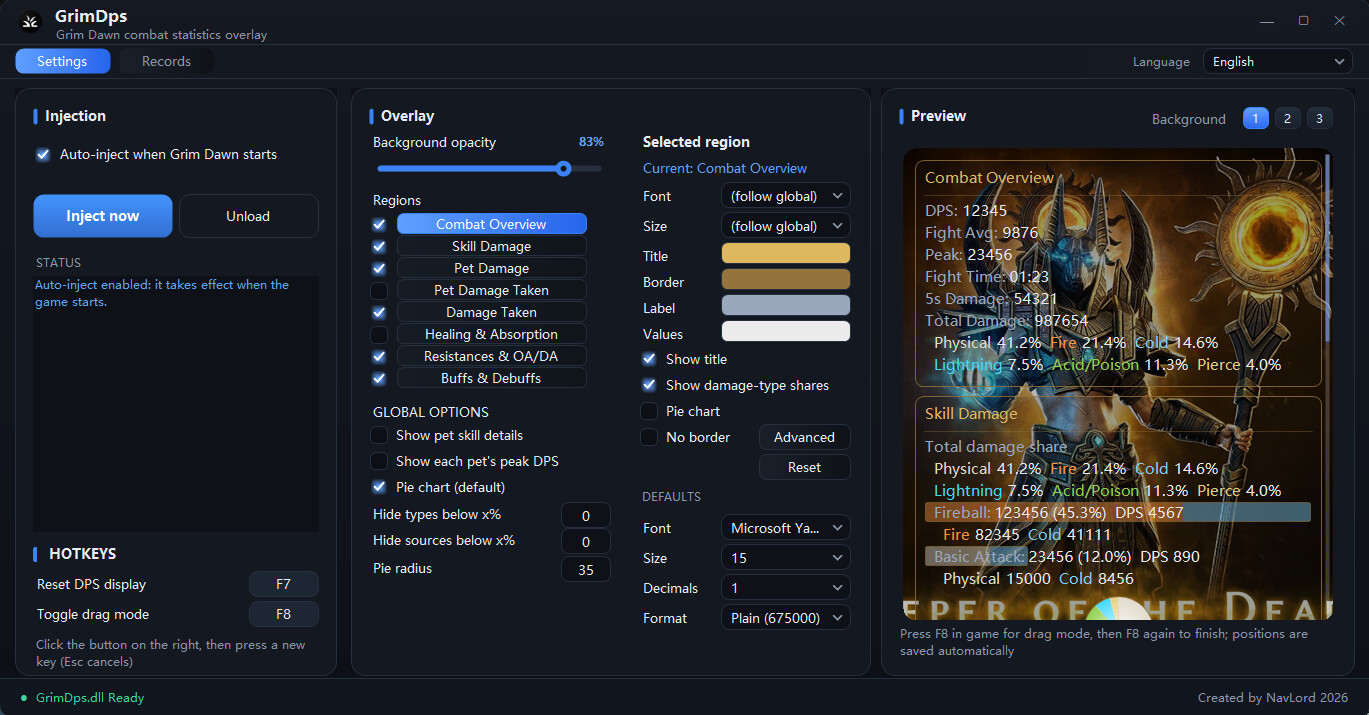
Double-click to run. The software will automatically detect the Grim Dawn process and inject itself. You will see the overlay windows in-game.
Press [F8] in-game to toggle drag mode. You can then drag the overlay to your desired position. Press [F8] again to exit drag mode.
Press [F7] to reset the DPS display (restart statistics).
Features:
-
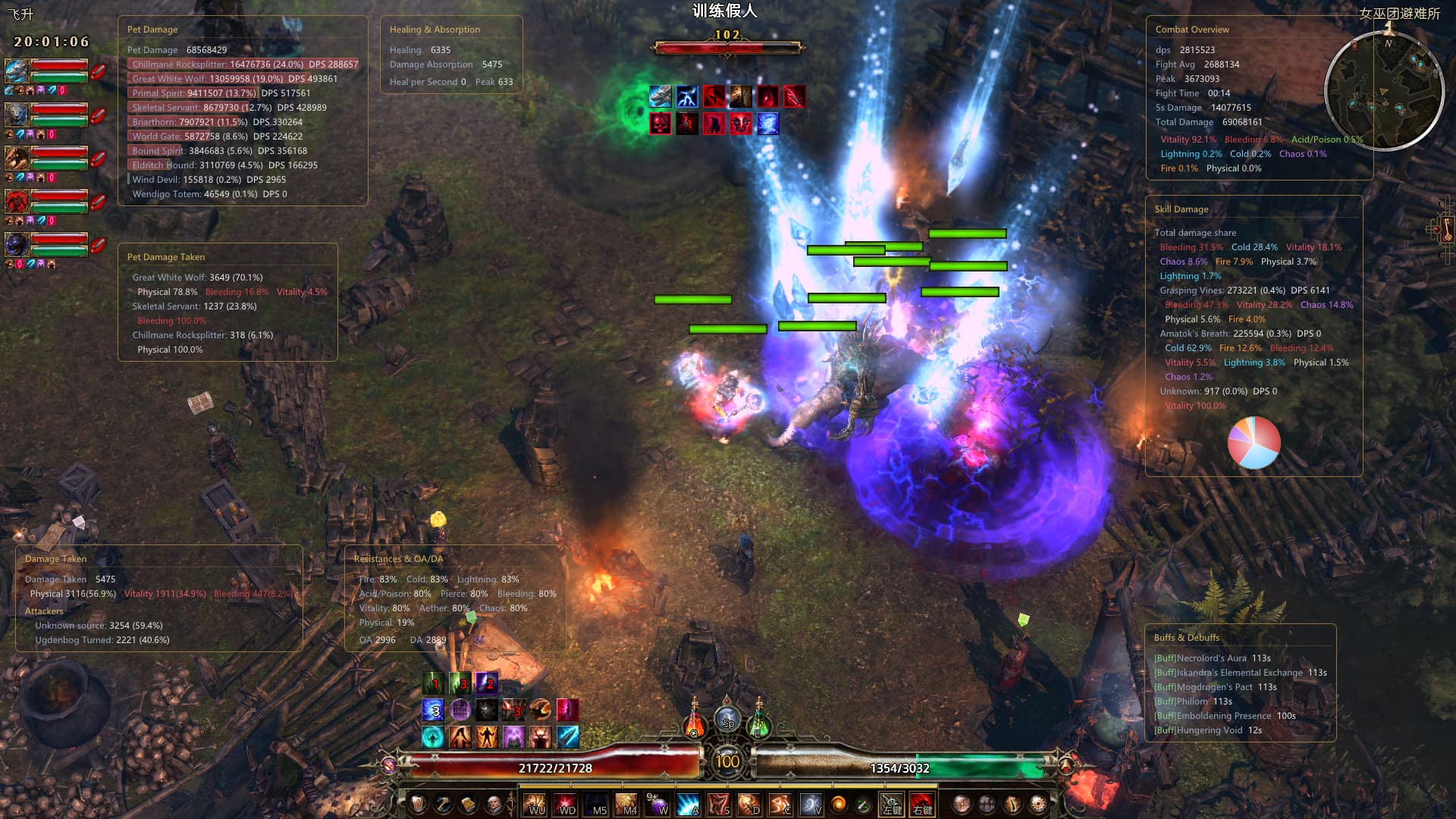
Supports displaying damage distribution with dynamic color bars and dynamic pie charts.
-
Supports adjusting decimal digits and number display formats: Plain (675000), Metric (675K).
-
Each section can be shown or hidden as desired.
-
Each section has its own font size, font color, border color, and options for displaying pie charts, color bars, and damage types. Click on a section name to configure its settings.

-
For the Combat Overview section, you can choose which lines of information to display for a cleaner readout. Click Combat Overview → Advanced Settings.

-
Supports hiding damage sources/types below X% to keep the display tidy, e.g., hiding tiny shares like 0.2%.

-
Automatic death recording — when your character dies, the program automatically records the damage received within the 8 seconds before death, making it easier to analyze what killed you. (Record files are saved in the deathRecords folder.)
-
Supports both fullscreen and windowed modes.
-
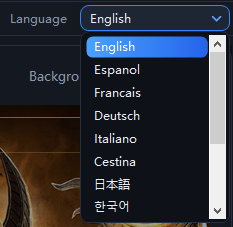
Support 13 languages
The program remembers your settings (such as overlay position) and saves them in “GrimDps.cfg”. When a new version is released, you can keep your existing GrimDps.cfg to avoid redoing all settings. GrimDps.cfg can be opened with any text editor.
Feel free to explore the rest of the settings. The overall design goal is to keep the DPS overlay from interfering with normal gameplay, giving you as much control as possible over what to display, where to display it, and how to display it. It also helps with studying game mechanics and testing build DPS.
Compatibility: Grim Dawn 64-bit (the game’s default first launch option is currently 64-bit).
Download: Github Release GrimDps v2.4 · NavingLord/GrimDps · GitHub
Permission is hereby granted to use, copy, modify, distribute this software by any means.
Welcome suggestions and bug reports.
Things could be very simple.

(Only show dps in combat overview, hide border, hide title, move it to screen center)


