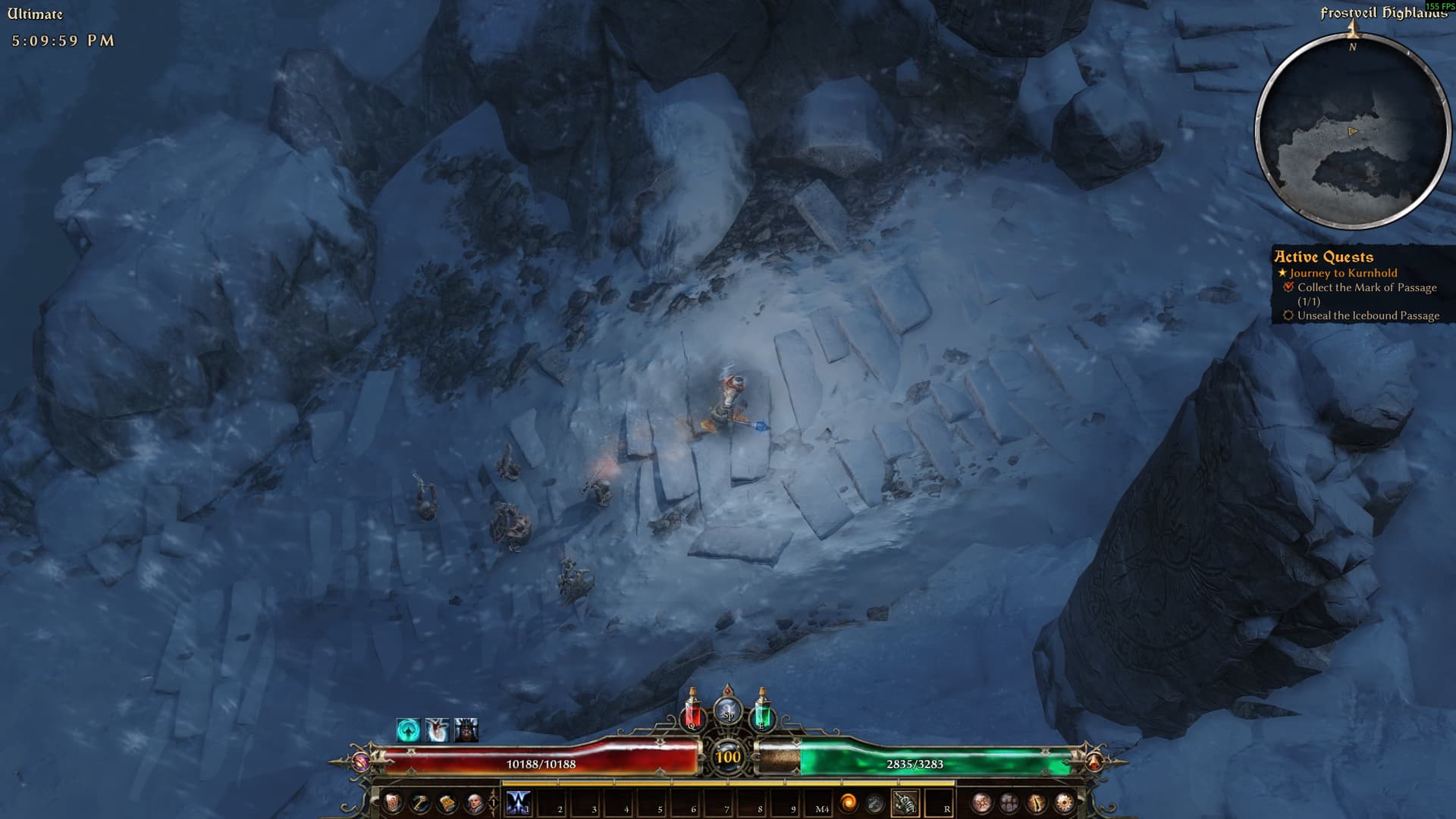
Game crash repeatedly at the exact same location Frostveil Highlands. Happened 4 times in a row now after updating steam version to latest.
4 Likes
I can confirm having the same problem on this map. Although I have hangs, not crashes. Haven’t tested other locations. Patches on a Friday, uh?
Only change that seems related in the current 1.3.0.4 patch is the shader fixes. Reduced Ultra to Very High but the game still hangs. Will try lower settings.
If you can think of a workaround before the fix, please let us know. I had plans for the weekend 
EDIT: Same problem on lower shader settings. Tried to go to other areas of the game, but I’ve been everywhere else and can’t seem to trigger a shader compilation.
I tried reducing shaders to low, textures to low and shadows to off. same crash at this location.
I had completed this section earlier in week on elite difficulty.
I have saved the generic dump file windows generates if anyone at crate wants it.
Weekend plans delayed it would seem.
came here for this specific bug. i troubleshooted for about 2 hours, before visiting forums. verifivied integerity, updated graphics drivers, turned graphics on and off, deleted map data, windowed mode on/off, verified disc drivers health; so on and so forth.
every time at the exact same spot game crashes.
what makes it curious, is that on the very same char i passed this area on normal difficulty (lets say 5 days ago), but can’t pass on ultimate as today, right now.
1 Like
I am having the same problem. Good job my personal berserker/nightblade build sucks and i am forcing myself to carry on. Otherwise I would be annoyed 
same thing happens to me
two different characters, same spot/slope
cant progress to the new area in the DLC
i finished the game on veteran prior to the patch
Same for me, just at the start of this section between the two pillars. I did a fresh install, verified files, turned off cloud saves, on normal veteran difficulty. Just reached this new area today so dont have any experience with the prior patch.
Exact same spot, exact same - sometimes hang, sometimes crash. Ran through all the pre-FoA areas without problems, big bummer.
Same thing happening to me right now, I’ve tried almost 10+ different settings now (lowering each try) and no luck. I hope they fix this ASAP.
For those of us struggling - seems you can work around this with either of the two “cheat” methods not to ruin the weekend:
- GD stash - tick Icebound Passage Rift and port to it.
- DPYes add this to GrimInternals_TeleportList.txt manually and use:
Location (Icebound Passage entrance; Frostveil Highlands), -6444.5, 91.8, -1209.29,
From Grimtools it seems you only loose out on Blood and Ice note and potential Treasure Trove location.
Of course game might still crash/freeze in a different location 
1 Like
So DPYes teleport works. But being curious I ran back from the Icebound Passage entrance to the section where it crashes. What’s interesting is that you can run past the point it crashes westward to where the body is on the ground. Then turning back and running up east towards Icebound Passage it will crash in the exact same spot.
1 Like
Do you al have DPYes installed? If so, then remove it and see if it still happens.
Tested with removed already.
What would be interesting - if someone who has previously reached Kurn (I am only now playing FoA content this morning), test if the crash occurs for them. Seems a weird issue to pop up after (largely) balancing patch.
They did things with shaders on ice/snow surfaces
2 Likes
Nah. No mods here.
Also tried to open a portal just before the stairs. Went to Fort Ikon and back. Got an immediate hang on the black screen just before the scene renders.
I had no mods installed. I only installed DPYes to teleport and see what would happen.
It did not count towards quest completion
My character is level 100 and I reached Kurn on elite earlier in the week so had no issues.
1 Like
What didn’t? Quest to traverse passage did not update?