GD save file editor now has a web based character viewer. The character viewer allows players to view their character(s), showing the real stats on a character rather than the base stats ranges visually, rather than on the command line only. The game itself does not need to be running to get the stats.
There are 3 requirements to generate a character view
- GD save file editor
- Grim Dawn installed
- A character save file*
*To accurately display stats the save file must have been saved before exiting a game session. This is because without a proper save anything that is toggled, such as auras, and their contributions, won’t be part of the stats. Quitting to the main menu should be enough to ensure a proper save.
Using a single command (gd-edit is a command line app) you can generate a single self-contained view as shown below.

One self-contained HTML file will show (tested with MS Edge, Brave, Firefox and Safari)
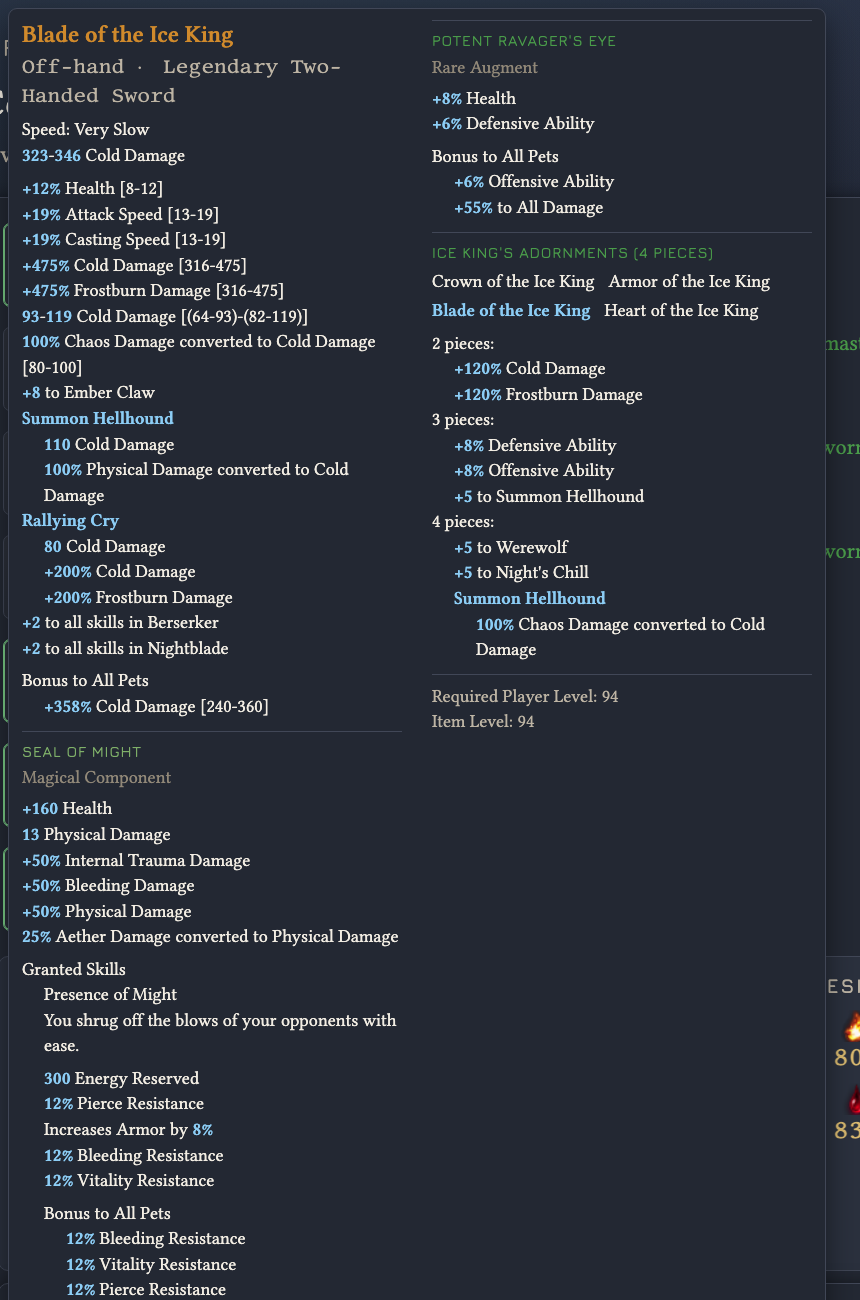
- Every equipped item with the values it actually rolled, and the range each one
could have landed in - Attributes, Health, Energy, Offensive and Defensive Ability, Armour — with the
game’s own explanation of each behind a hover - All ten resistances, with the overcap
- Both mastery trees at the level the game reads each skill at — points spent
plus what gear adds - Devotions, with each constellation’s stars plotted on its own artwork and the
skill each proc is bound to - Buffs and auras currently running
Hover on anything — an item, a skill, a constellation, a stat — for the detail,
phrased the way the game phrases it
The panel beside the gear takes a character screenshot — drag one
onto it in the browser. Shots taken a rotation step apart and uploaded will cause the character to rotate in the panel, similar to using the arrows in game.