Dammit is the 
1 Like
Is there a specific reason that many item names in the localization files like en.js or zh.js have a “^k” prefixed to them?
1 Like
^K is a color code that defines the color of the text that follows it and has no other meaning.
2 Likes
Oh. I see. Thanks for the clarification.
Seems like Advanced Search only searches the names of items. When I search for “Lightning Damage” in all items, the result is “Nothing found”. Is there a way to find items with specific properties?
It works just fine for me when I type what I am searching for in quotation marks when I am on my PC.
For some reason when I used quotation marks on my phone it doesn’t work and requires just the words. 
You should set min value = 1 for it to work.
1 Like
Thank you! 
Good afternoon. Could you please tell me whether the changes from patch 1.3.0 will be added to the grimtools database while testing is ongoing or if this will happen later? Thank you!
GT for 1.3.0 will be updated when the patch goes live to public, not in playtest.
On the other hand I’ll update save file import for 1.3.0 soon.
4 Likes
This tool is great! Would be awesome if we could add a simple filter.
I want to be able to go to Jewelry → Rings → Augments and then (I wish!) we could type something like “chaos res” somewhere and filter the results to only show the augments that have “chaos res”
The workaround is to use the browser find function (ctrl+f) to jump between items but having this baked into the tool would make comparing things so much easier!
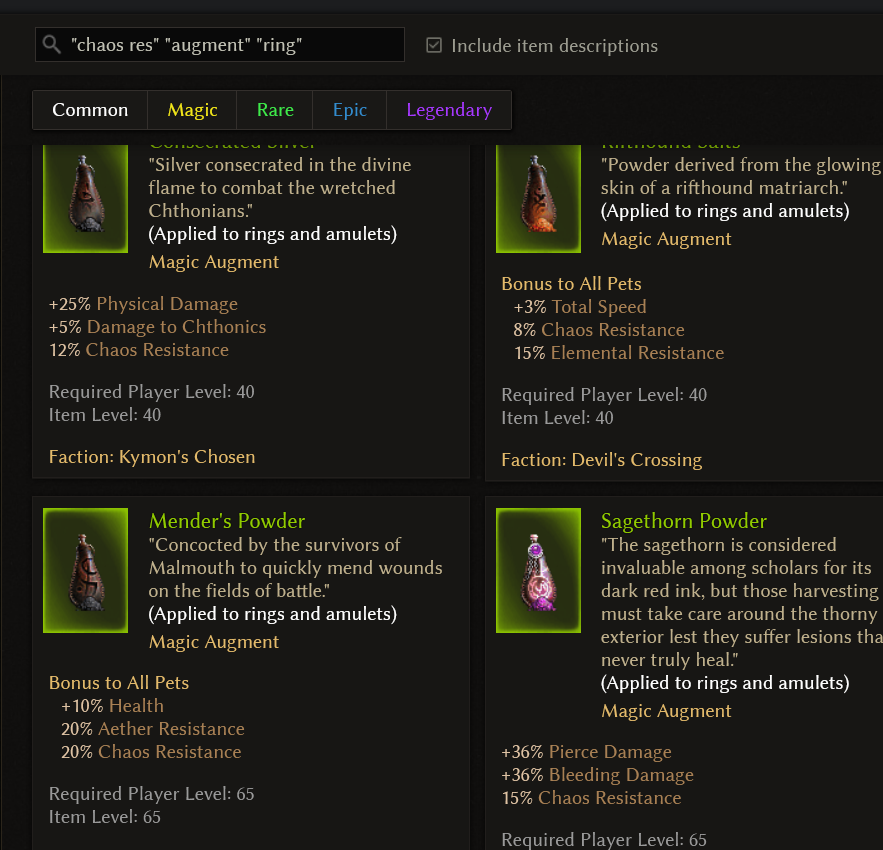
I was doing it that way before until I found out that some items are applied to “all weapons” or “all armor” instead of just “rings” or “two-handed weapons”
Using the left sidebar to navigate shows those items instead of filtering them out.
yep, for a few things you’ll have to do a less specific search or a double search atm,
even the advanced filter i’m not exactly super proficient in getting narrow combos like that, so i just use word search in that case to get as close
1 Like
the best option, respect!
Awesome database, I’ve just a question: I’ve noticed that a few items listed there in the common list (mostly the “Obsolete” ones) never appear in my playthrough (I did all Act I so far, ignoring the bridge to the Arkovian Foothills until after taking care of Krieg), is it normal?
The obsolete ones are indeed obsolete and can no longer drop.
You can buy them from Fascia at Fort Ikon (mostly for cosmetic purposes).
Aaah, I see. Thank you, I was afraid something was wrong with the game
There are some small features that would be useful if added to GrimTools (and also to the game, since they reflect each other), like:
- Displaying the list of global conversions that are happening right now (also for pets, in their appropriate section), including scaling them down in case there are multiple conversions to the same type and the total rises above 100%.
- Displaying in the popup of a DAR’s description all the existing WPS that can be triggered from it and their chances (also scaled down like previously mentioned for conversions), like celestial abilities are displayed in the description of the skills they’re tied to.
- Displaying the global damage bonus for pets separated by different types, because right now ony the “all damage” bonuses are displayed. There are also some resistance bonuses from auras (like Emboldening presence) that are not added to the section.
When the version 1.3 is out and Grim Tools are updated to the latest version, are the AWAKENED items going to have specific visual or attribute, so they could be searchable/listable?