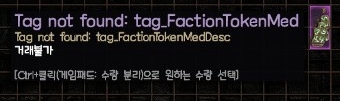
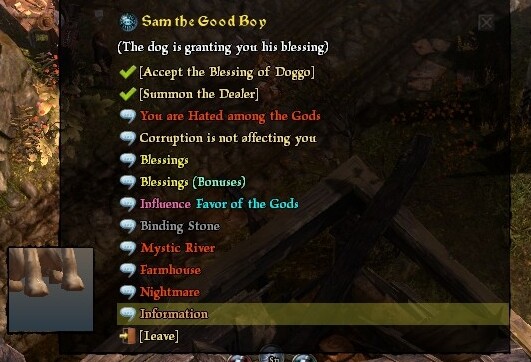
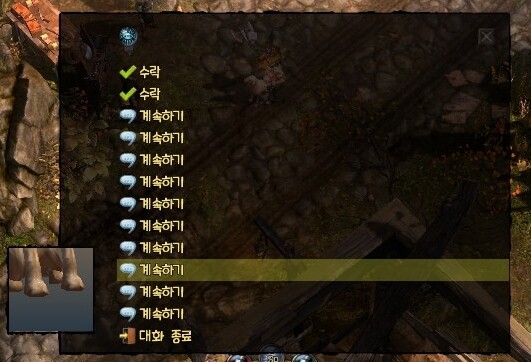
I’m playing Grim Dawn in Korean. I discovered the Lightweight mode and found the Non-Lightweight mode more appealing, so I wanted to play with that instead.
I understand that this mode is in English. What I assumed was that the default NPCs, items, and description texts untouched by the mod would appear in Korean (as per my game language), while the texts and items added by the mod would appear in English.
However, things didn’t go as I expected. While the unmodified NPCs and items still display in Korean, the new texts added by the mod appear as “Tag Not Found.”
I’m not looking to translate the mod. What I want is for the new content added by the mod to show in English, not as “Tag Not Found.”
In short, I want the base game to display in Korean (my game language), and for any mod-added text to at least display in its original English rather than showing “Tag Not Found.”
Is there a way to make the mod content appear in English instead of “Tag Not Found” when the game is set to Korean?
Summary: I want to play the game in Korean, but I want the texts added by the English mod to be shown in their original English form instead of “Tag Not Found.”
I wrote this question using ChatGPT. Please excuse any awkward phrasing.
Conversations.arc is a resource pack that cannot be edited as a text file. Instead, you need to unpack its contents *.cnv first, then use a tool (Quests and Conversations Extraction Tool GUI) to extract the *.txt files. Translate them and then compress them to Text_KO.arc.
Convert the .cnv files to .txt to modify the text.
Convert the .txt files back to .cnv files.
Do we compress these .cnv files into Text_KO.arc instead of Conversation.arc?
So, does this mean that we should also unpack the existing Text_KO.arc and merge the .cnv files obtained from Conversation.arc into Text_KO.arc before compressing?
No, just merge and compress the translated .txt into Text_KO.arc. If you know how to use the relevant tools, you don’t need to unzip Text_KO.arc and merge.
Thank you so much! After merging all the extracted .txt files from Conversations.arc into Text_KO.arc, the Dog NPC dialogues are now displaying correctly in Korean! Everything is working perfectly now. I truly appreciate your help!