You may have seen my previous post about How to determine the drop chance for an MI w/ specific affixes. In that post, I describe the math you’d have to do and where to look in the game database files to find the numbers you’d plug in. But that’s still a lot of effort. There’s an easier way.
I have pre-processed the game database into a big CSV file and uploaded it to a spreadsheet tool: Row Zero. This is a browser-based spreadsheet than can handle much larger data sets than excel. You can get your very own copy of my data here: Make a copy. Once you’ve made a copy, I suggest bookmarking it so you can return to it easily. However, after an update for a new patch, you’ll need to come back here and grab a copy of the latest.
The data is current as of patch 1.2.1.6.
Important Update as of 1.2.1.6
This sheet is no longer as flexible as it used to be. Rather than trying to include the cross-product of chances for every possible difficulty, dropper, and challenge layer, we now assume Ultimate, Boss, no challenge layer. This means you cannot use this tool to determine accurate drop chances for an arbitrary farming target. But you can still get a sense of what the affix bias is for a given MI, which was the original purpose of this project. I may make some modifications to the sheet in the future to restore the other functionality.
If you do need to know the precise affix drop chances for a different set of variables, you can still get them using my other tool, gddb.
Contents
Let me describe the contents of this workbook so you know what you’re getting into.
Source sheet
This sheet just has a datatable with the entire data set. The columns in that table are:
Loot Table: this is the name of the game database file for a specific item. Usually you can ignore this, but in the case of some items (Nemesis MIs, mainly), they have more than one loot table, so you may want to filter to a specific one.
Prefix: an item prefix (e.g., Devastating or Thunderstruck)
Item: the name of the item that the loot table is for (e.g., Moosilauke’s Pauldrons). Only green MIs are included in this data set.
Suffix: an item suffix (e.g., of Squalls or of the Eagle)
Prefix Tier: magic or rare
Suffix Tier: magic or rare
Difficulty: always Ultimate. I have filtered out Normal and Elite difficulty to keep the data size more manageable. [This field is now omitted since it is constant.]
Dropper: possible values are Boss, BossChest, Hero, HeroChest, Champion, ChampionChest, Common, CommonChest. [This field is now omitted – all drop chances assume Boss dropper.]
Challenge Layer: one of None, Easy, Hard, Rogue-like, or Endless Dungeon. The drop rates for affixes also vary in areas with mutators. These are the different tiers of such areas as described in the game database files. [This field is now omitted – all drop chances assume no challenge layer.]
Chance: the chance that the item drops with the affixes in this row, given the modifiers from Difficulty, Dropper, and Challenge Layer.
Scratch sheet
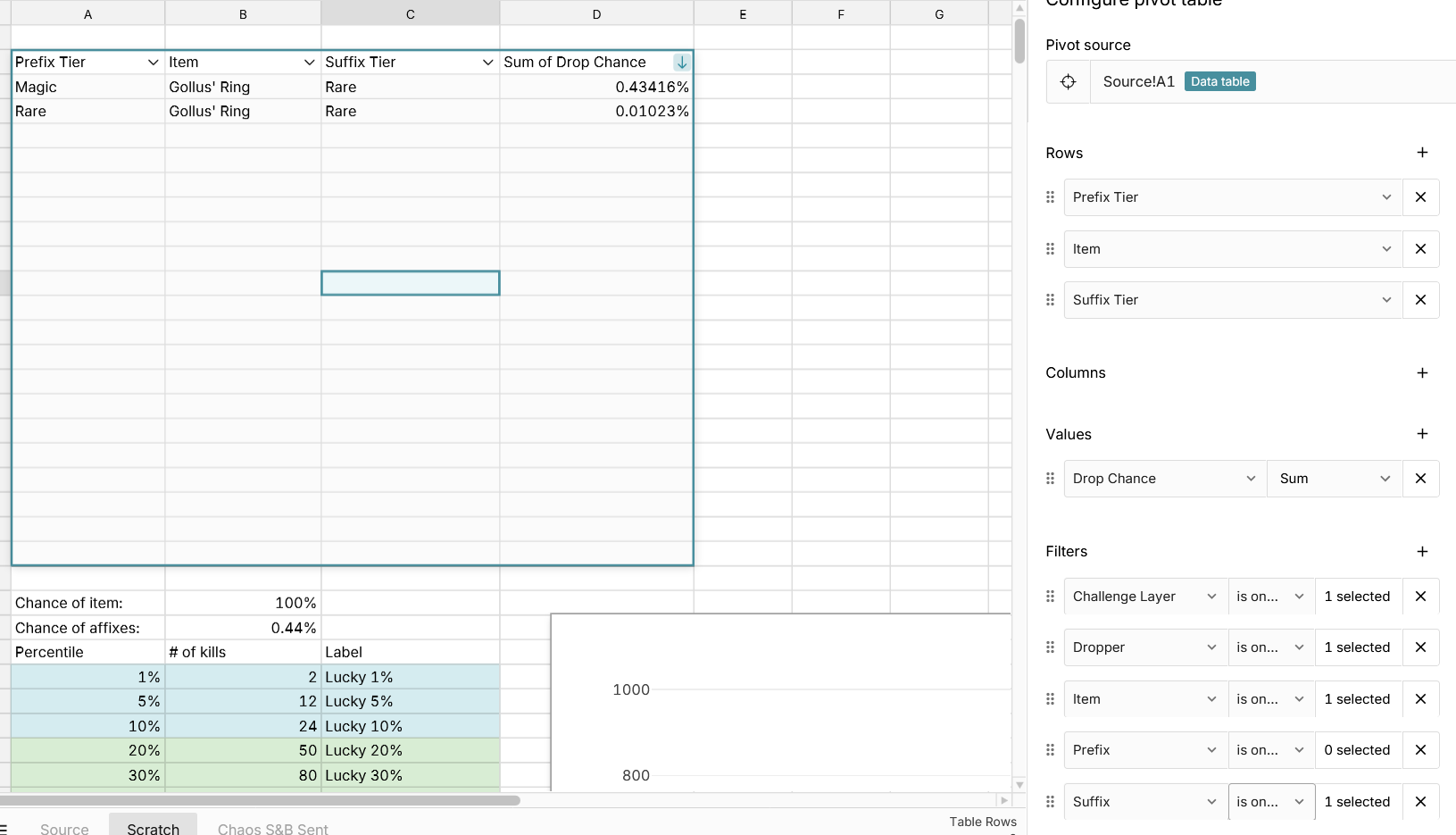
On this sheet, I’ve pivoted the data in Source. This is mostly what I use the workbook for: filter to a specific item (and loot table), then pick a Dropper, Difficulty, and Challenge Layer, and see what the chance for different Prefixes and Suffixes are for that item. Say you wanted to know what the chance that Milton’s Casque drops with the Overseer’s prefix is, for example. What you’d do here is:
- double-click on the table to open the pivot configuration panel
- move Prefix and Item to Rows and Drop Chance to Values (remove Suffix if present)
- change the Item filter to select only “Milton’s Casque”
- change the Dropper filter to select only “Boss”
- change the Challenge Layer filter to select only “None”
the pivot table will update to show the chance for every prefix given those modifiers. Overseer’s should be near the top (table is sorted by drop chance from high to low).
I hope you find this data useful!
Disclaimer: I am one of the engineers building Row Zero. If you find any bugs in the spreadsheet or have any feedback on it or questions about the product, I’d love to hear from you! Feel free to drop a comment below or send me a DM.
Historical versions: patch 1.2.1.0
Historical versions: patch 1.2.0.3 (link may no longer work)
 I’ll admit it’s a bit weird to use initially but it’s awesome once you figure it out.