But I already went to the location, in this case Tomb of the Heretic multiple times already.
Does the teleport list gets updated automatically?
Or can I see the locations in the file? If yes, mind telling me where I can find said file?
But I already went to the location, in this case Tomb of the Heretic multiple times already.
Does the teleport list gets updated automatically?
Or can I see the locations in the file? If yes, mind telling me where I can find said file?
I can link you file from GI era with many locations GrimInternals_TeleportList.txt (22.7 KB)
beware of dangerous areas / skeleton dungeons etc.
I’m not sure how it works now but saving in such locations might not be unlocked by default
you might need to go to Custom Mode (or unlock GD console with Cheat Engine) and then switch something in DPYes config
Thanks, I overwrote my txt file with yours, now the teleport works.
Creating a new teleport entry is always to your current location at the time, saved in the list with a name of your choosing.
Thank you very much for giving us this very useful tool.
I don’t know if it can be done, I would like to make a few suggestions.
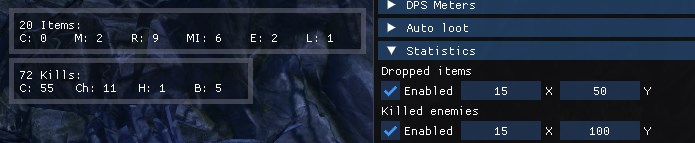
I don’t know if it’s just me, but these kind of stats motivate me to play the game. I like to see them.
DPYes 15 adds kill and drop counts:
The background transparency of these overlays is controlled by the same option as the DPS overlays.
First of all, thank you for creating a great program.
I think I found a bug, so I’d like to share it.
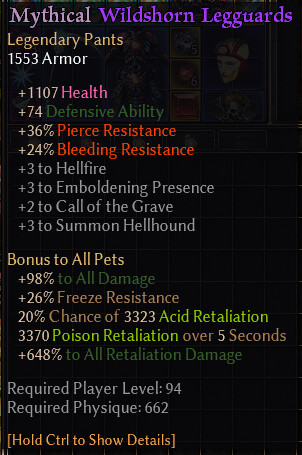
if you engage in battle while wearing only the ‘Wilderness Horn Legguards’ and ‘Gutsmasher’ items, a crash will occur.
If there are people who have experienced the same symptoms, I would like a solution.
I am using Windows 11.
On a similar note, we’ve noticed a similar crash from procs that trigger on death in mods, either from items or skills that have an autocast ondeath controller (but not skills that trigger on death, like Ravenous Earth’s modifier)
When using dpyes version 12, there is no conflict. It is my opinion, but I think the conflict is caused by the addition of the cheat function (ranged retaliation). It has nothing to do with turning the cheat function on or off.
Hi,
Has anyone gotten this to work in Linux?
It seems to be working, but some parts of the game is completely black, look at the screenshot, its the same in-game, only the UI is visible, everything else is black?
First of all, I would like to thank you for this wonderful tool! It has been a game changer for my builds!
I have a question: Is there any technical limitation that prevents teleporting to an area inside a skeleton dungeon? It would be really convenient to be able to teleport there. If using a skeleton-key or some other condition were required beforehand, that would not be an issue, but I would like to understand why this functionality is not currently available.
Is there any way I can completely disable loot filter? For example, my game does not show common drops if I dont enable DPYes item filter and “show” all. It does not have mastery spesific drop to show so thats why I kind of wanted to have an option to disable this feature.
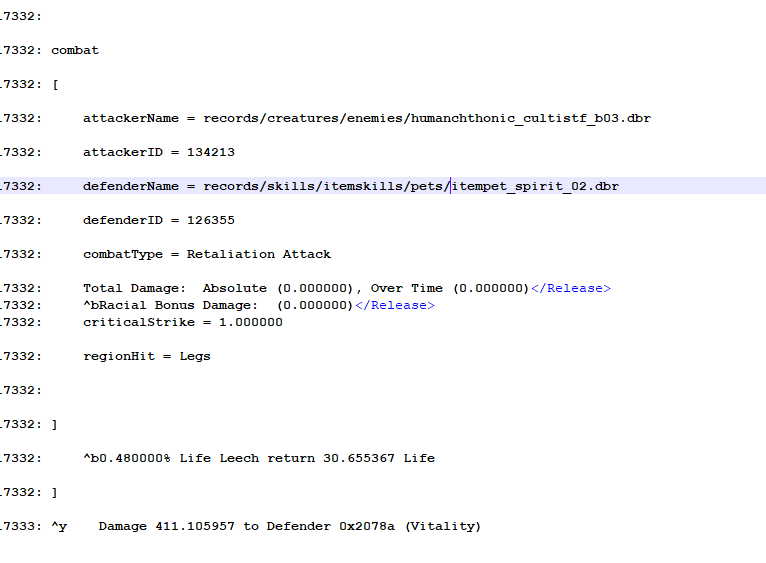
I’ll add on that I have the similar issue. Mythical Wildshorn Leggards. Debug Log seems to show the crash after a Retaliation combatType, as well. Runs fine without the pants on. Let me know if, or where, you’d like full logs. As for enabling or disabling Ranged Retaliation, enabled results in immediate CTD on engagement, whereas disabled it will still CTD when a proper retaliation triggers.
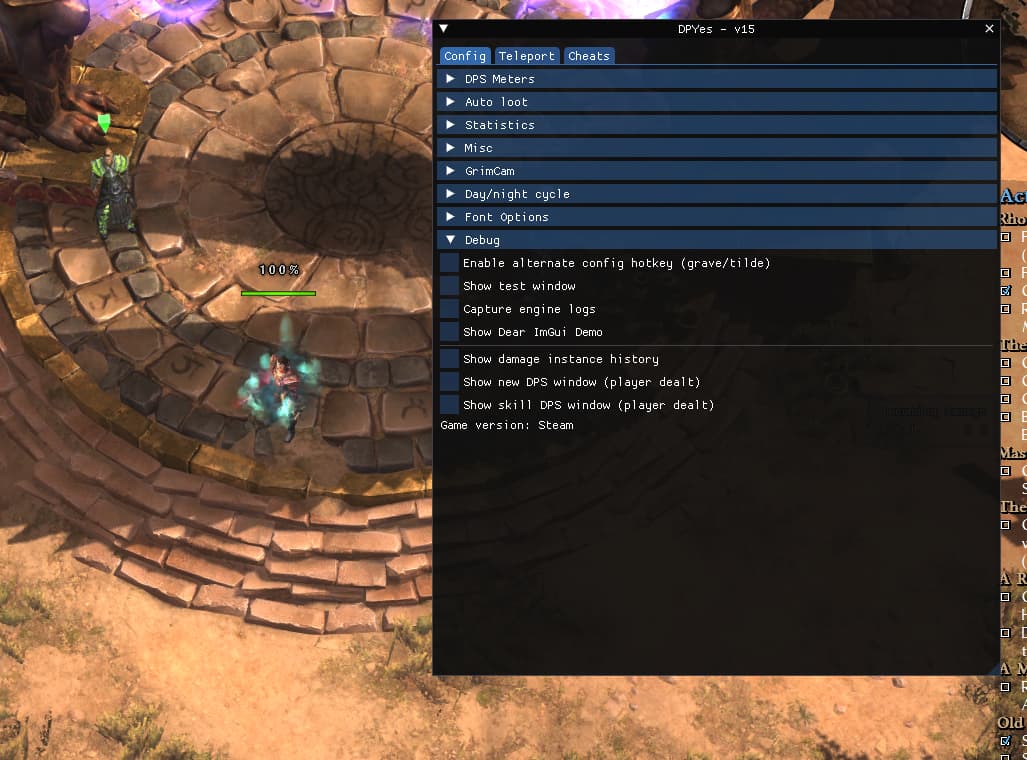
Config > Debug > Allow creating teleports in restricted areas
I only managed to try DPYes again today, and despite having the last v15 version I don’t have the toggle to enable the teleports in restricted area…
What am I missing?
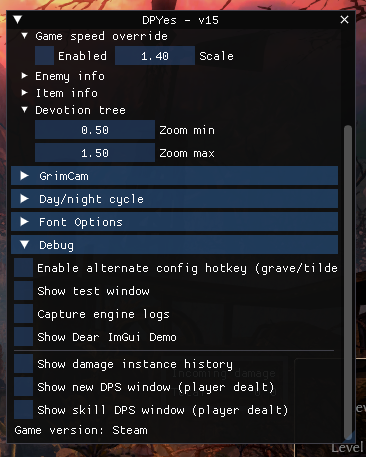
Interesting. The option is only visible while in-game and not visible while in main menu.
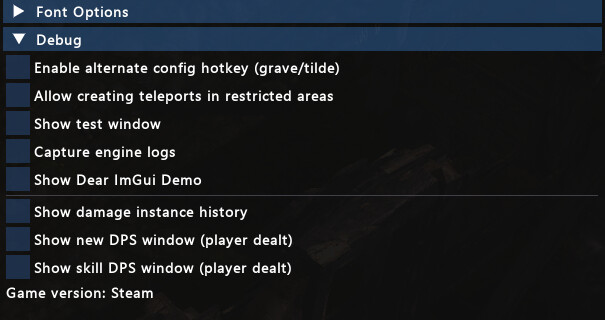
I feel like you’re making fun of me 
Jokes aside, thanks for the help, but even in game I can not see the option. I closed the game, run it again, didn’t open the DPYes menu until the Conclave was completly loaded, but still no option.
Can you add multilingual support? Thank you
!!! I don’t have a switch to enable teleporters in a limited area…