Does GDStash show the real stats on an item or just the base game stats. I’m looking at the transfer stash of a character and I see the item, however when I select an item it only shows the base stats, not the real stats of the item.
The base stats, the real stats are behind some RNG logic
Thanks for the answer. GDIA has the function in it but it is has some issues I can’t get round at the moment, so I was hoping GDStash had the same thing.
Is there a way to manually delete the whole item stack in gdstash? It seems my shenanigans back when the first time I use GDstash a years ago, I somehow duplicate millions of this components, the results is there must be at least hundreds of millions Seal of Might in my storage.
I try to use auto clicker to press the “Delete item from DB”, but since it only deletes 100 at a time, it gonna take months to delete it that way.
I’ve tried another way by exporting only equipment from the storage and reimport it at fresh install, but somehow the millions stacks seal of might return. Please help me

click the stack into actual stash, then delete it from there
no luck, moving to the stash only take it by 100 items per slot.
I want to know where GDstash store the stash file, migrate the normal equipment, delete the stash file, and reinstall the stash with empty storage. The export feature, can’t be used in this case since it will also make the copy of the bugged item.
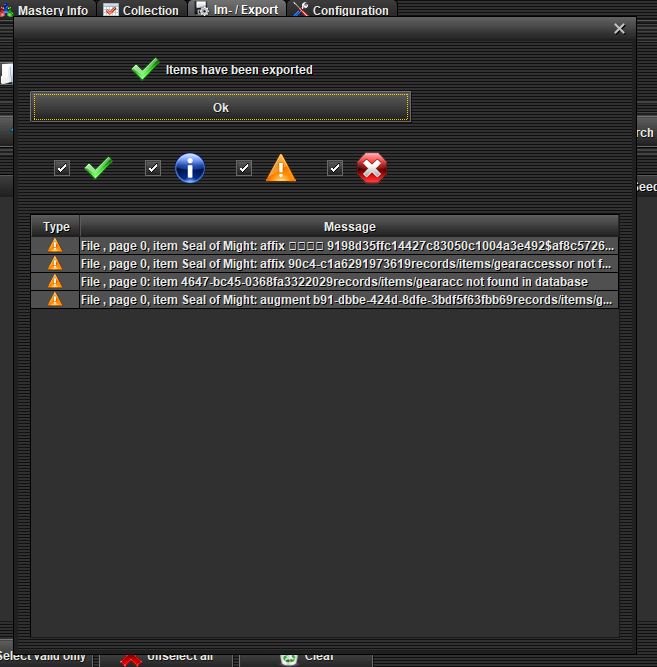
huh, that’s weird  i distinctly remember moving more once upon a time
wonder if could be made to move more
C/users/username/gdstash iirc
the database is in C:\users\username\GDStash\db or db_modname when you are using a mod
Delete the directory
1 Like
Hi! Is there way how to export search results, made in GDStash, into TXT file? I want to make a spreadsheet of all epic, unique and set items. Using a color to mark those which I’ve collected so far, which I’ve not and which ones are craftable…
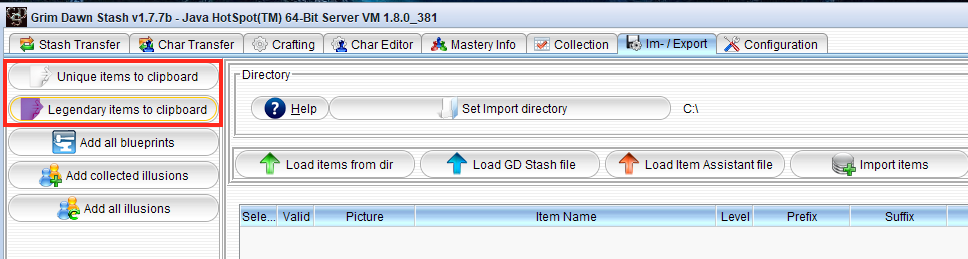
Just to be sure - does it include set items, right? [they’re unique or legendaries]
Sounds great, I will give it a go!
Unfortunately, it didn’t do for me, what I wanted. I need clean list of items, with those I have not collected yet.
can’t you use the collection tab for that?
it has missing/found stuff, and like stash item search you can filter by rarity/epic/legendary
I will try that.
You can change that in HTMLTags.properties
TAG_LEGENDARY_HEADER          = [COLOR="Purple"][SIZE="4"]{0}[/SIZE][/COLOR]
TAG_LEGENDARY_ITEMTYPE        = [COLOR="Purple"][SIZE="3"]{0}[/SIZE][/COLOR]
TAG_LEGENDARY_SET             = [COLOR="Purple"][SIZE="3"]{0}[/SIZE][/COLOR]
TAG_EPIC_HEADER               = [COLOR="Blue"][SIZE="4"]{0}[/SIZE][/COLOR]
TAG_EPIC_ITEMTYPE             = [COLOR="Blue"][SIZE="3"]{0}[/SIZE][/COLOR]
TAG_EPIC_SET                  = [COLOR="Blue"][SIZE="3"]{0}[/SIZE][/COLOR]
just have these as {0} only
1 Like
@mamba Greetings,
What is the proper way to use the tool to rename a character and not have it create a duplicate at the selection screen? I have deleted the duplicate, but the tool shows the char with the old name still, and attempting to change it to what I want results in a “char with that name already exists, use it instead” which leads me to believe the actual name of the char is wrapped in the player.GDC file rather than the folder in which it is stored.
that sounds weird, I’ve renamed dozens of characters with GDstash and never had a duplicate or anything like that.
The “proper” way is
- close the game
- load a character into gdstash
- click reload to make sure the right character is loaded - this is important because there is an old bug, sometimes loading a character doesn’t properly update what you see on screen
- rename the char
- click save
- click reload to make sure it has properly saved
- start the game
That’s correct. A very long time ago (during early access iirc) the character’s name was tied to the folder name so you could just rename the folder, but that’s not possible anymore and you have to use tools to access the player save file and change the name.
The folder name and char name have to match, that is why the file gets saves in a new folder. There should not be a duplicate char, but the old char with the old name still exists. You can delete its directory to get rid of it.
This post is going to be fairly ironic. I first posted here years ago because my Java wouldn’t work and couldn’t run GD Stash…Now, on an entirely different PC and Windows version it’s the exact same problem, lol. GDStash wants to start and Task Manager says it runs but the mouse keeps spinning the loading sign but the GUI just doesn’t pop up, so any ideas what’s going on?
I just haven’t had any luck with running Java for a long time so I don’t get it. Am I missing something to install or configure or is something blocking it or whatever?
Anyway, back then I just used a non-Java installer, so is that still a thing? I don’t see it anymore.
did you try the different “launcher” files in the gdstash folder?
there is like a bat or jar? file or something aside from the gdstash program file,
for whatever reason some people launch GDstash with one of the others as the normal doesn’t work of them i’ve heard
*aside from checking your java install is correct ofc
**sometimes you also just need to kill GDstash in task manager and relaunch it