
 Farthest Frontier Planner — Big desirability update
Hey everyone! Pushed a major update to the Farthest Frontier Planner today. The TL;DR: you can now plan house placements with live desirability + amenity-coverage feedback that matches the in-game formula and thresholds exactly.
What’s new
 Desirability / Spirituality / Entertainment overlay — One button in the toolbar cycles through four states: Off → Desirability → Spirituality → Entertainment → Off.
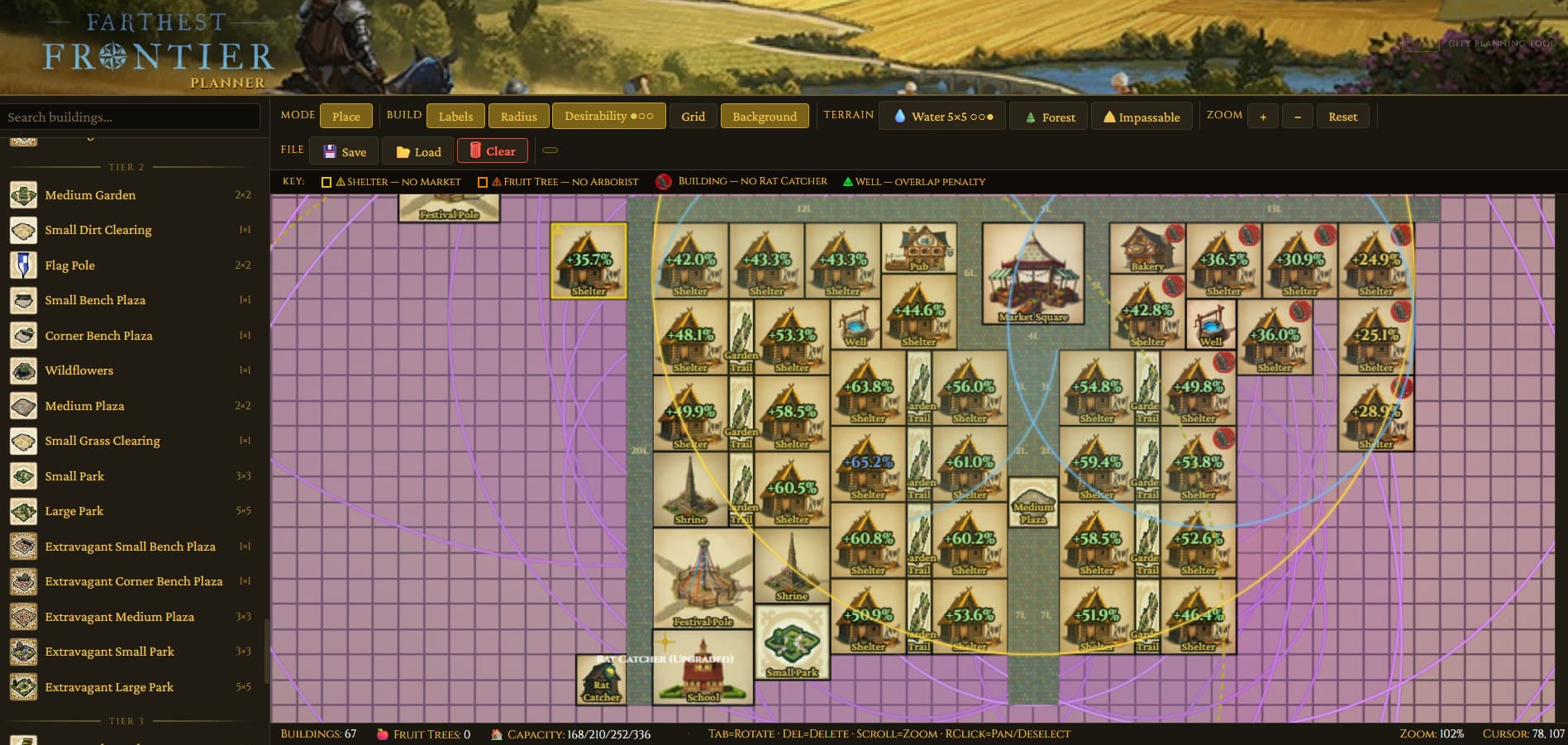
- Desirability mode shows every bonus-producing building (parks, plazas, statues, temple, theater, wells, etc.) with its radius ring and bonus %, plus red rings around undesirable buildings (tannery, charcoal kiln, compost, barns, etc.). Shelters display a live desirability % right on their icon, color-coded to upgrade tier: yellow (T1 Shelter) → green (T2 Homestead) → blue (T3 Large House) → purple (T4 Manor). Numbers update in real time as you move buildings around.
- Spirituality mode shows only Shrine/Temple rings in gold, and every shelter gets a ✓ or ✗ showing whether it’s inside spirituality coverage.
- Entertainment mode shows only Pub/Theater/Library/Festival Pole rings in teal, with the same ✓/✗ on each shelter.
Between the three modes you can see at a glance which shelters are bottlenecked on which gate — a shelter at 75% desirability stuck at Homestead because it’s missing entertainment coverage is now obvious.
 Accurate radii + desirability math — Every radius in the planner (desirability, work areas, service coverage) is now pulled directly from the game’s vanilla data and converted to tile-space correctly. A few notable fixes:
- Fishing Shack work area was 2.6× too large — now 6 tiles (was 16)
- Work Camp was 5 tiles too large — now 15
- Well overlap radius was ~1.75× off — now 8
- Rat Catcher, Forager, Park/Temple/Theater/Festival Pole, Market — all dialed in
- Live shelter % uses the game’s actual formula, including the half-at-edge dropoff and tag-based dedup (strongest of each tag counts, unless the building allows multiples like gardens and plazas)
 Ghost preview — When you have a building selected, its radius now appears around the cursor before you place it, just like work areas do. Super helpful for lining up a new park to cover exactly the shelters you want.
 Brush size for terrain painting — Water / Forest / Impassable buttons now cycle brush size: 1×1 → 3×3 → 5×5 → Off. Works for both left-click paint and right-click erase, so you can wipe out a 5×5 chunk of forest in one drag. Cycling buttons show small dot indicators (●○○ / ○●○ / ○○●) so you can see exactly where you are in the cycle.
 Keyboard shortcuts — Don’t break flow going back to the sidebar for roads. One-key building selection:
- N dirt road · M cobbled road
- B wooden bridge · V stone bridge
- H shelter · W well · G granary · S storehouse
- F fence · P palisade · L lookout tower
 Installable as an app — The planner is now a proper PWA. In Chrome/Edge, look for the install icon in the address bar → click it → you get a standalone window with its own taskbar icon, works offline, auto-updates. Same deal on mobile via “Add to Home Screen.”
 Fixes
Fixes
- Clicking on an existing building while you have a sidebar selection used to cancel your placement and pick up the existing one. Now it just… doesn’t do that.
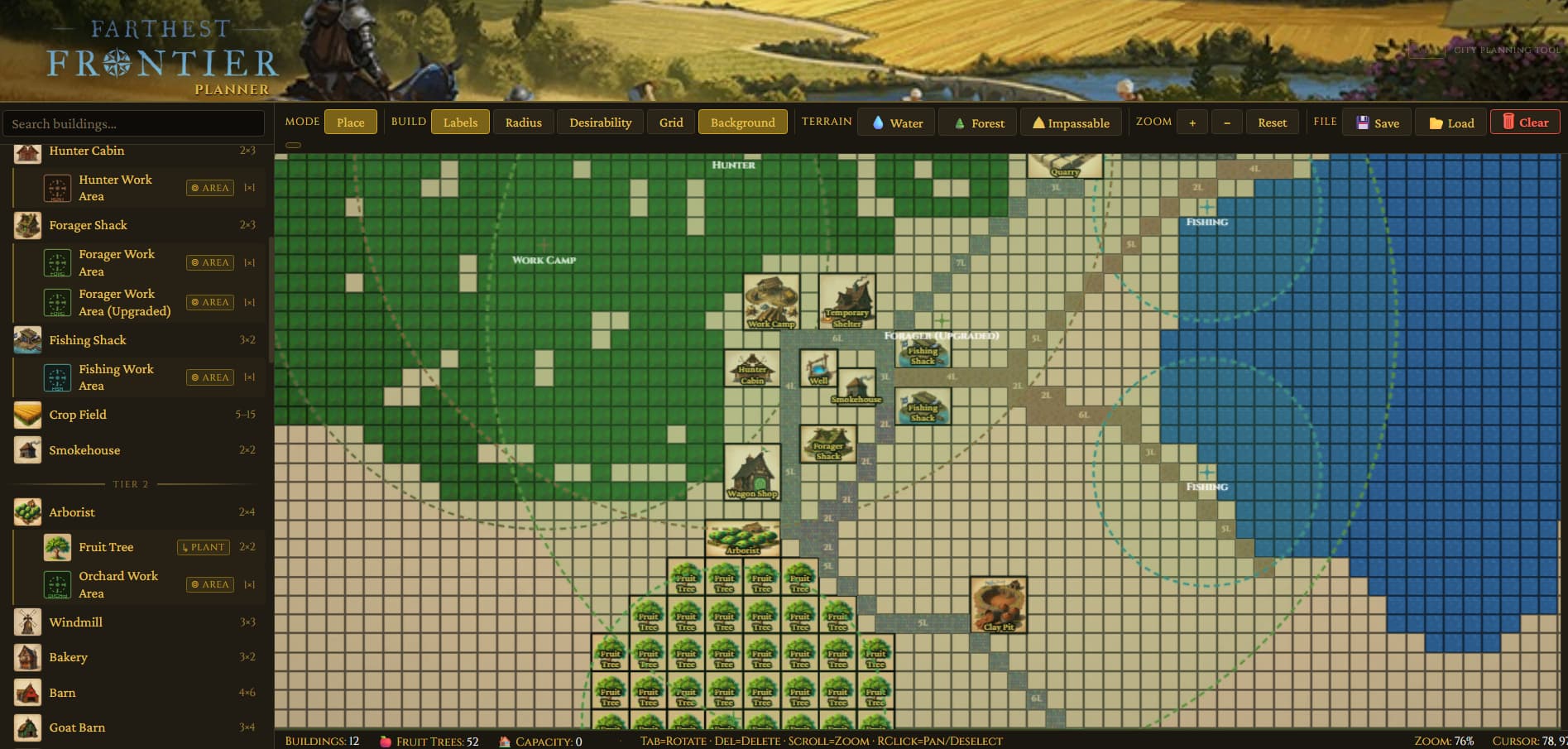
- Work area markers (arborist, fishing, hunter, forager, work camp, rat catcher) no longer collide with placed buildings or terrain — you can drop them anywhere, including over your 52-tree orchard or right on the water where the fish actually are.
Try it
Planner: Farthest Frontier City Planner v1.0
Source: GitHub - sagedragoon79/FarthestFrontierPlanner · GitHub
As always, feedback welcome — a lot of what’s in the planner came directly from this subreddit’s suggestions. 