There will be some limits to this… the savefile does not know which mod the char is from, so you cannot then look up the items and names from that mod, as there is nothing in the file telling you which mod to use.
So the mod would need to be specified by the user and chars from other mods would either display false info or not find their data
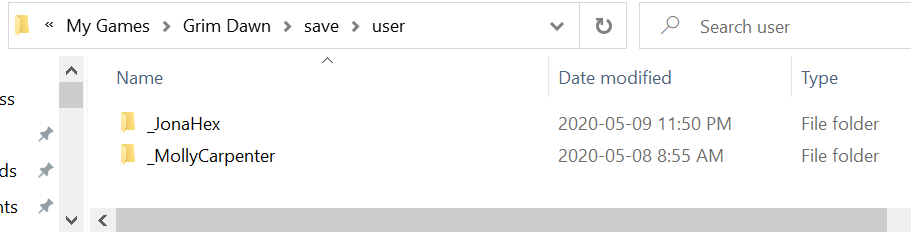
Mod characters are always installed in the save directory under the sub directory user if I’m not mistaken uness the mod does something crazy. I use the GrimUI-X mod, which gives you a huge space increase. I do have two other mods, but all mods use the same folder. I assume the player.gdc or some other file actually stores which mod you are using with a particular character (given you can switch this at any given point). It would be nice to show which mod the character is linked to in your display but we have to learn to crawl before we can run - does flagging it as a mod character would be great for now.
My character for that is stored in the path C:\Users\PJ\Documents\My Games\Grim Dawn\save\user
so I expect it would not take much for your program to see characters in there too given the vanilla game path is C:\Users\PJ\Documents\My Games\Grim Dawn\save.
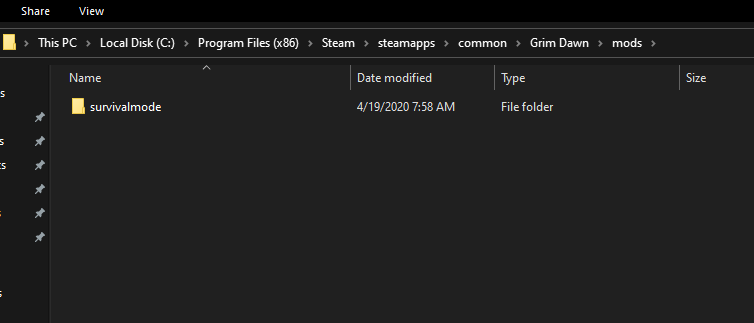
What exactly do you need. Here is a screenshot of what the filenames look like in the mod directory. They are basically the same name format as the vanilla versions. If you want the actual player.gdc and other files let me know, but for that to work you’ll need a mod installed. I’d recommend the GrimUI-X mod as it does nothing except increase stash space
As you say, the actual player.gdc files in there are not going to tell you what mods they belongs to?
Hardcoding the "…\save(modname) " as identifying the mod will also result in a coding maintenance nightmare.
Also. even if you could identify which mod it belongs to, you then have the issue of extracting all the DB items exclusively for that mod?
I am happy with what my app is currently doing. It serves a long time requirement of mine in being able to recall what I was trying to do with a character after leaving it for many months. Excel was too laborious in trying to keep up with my many characters. If the community can use it as well, then at least I have added some value to Grim Dawn.
I am sure sure I am not the only geriatric with 40+ characters that can’t remember what each one was supposed to be doing,.
I also was not interested in “re-inventing the wheel”. Grimtools, GS Stash, GD Stash Search, GD Item Assistant all do excellent jobs out there of drilling down to the nitty-gritty details of a character.
My simple tool as I stated earlier is just KISS and just serves as a fast loading digital memory tools for planning notes for your character when your memory pills start to fade.
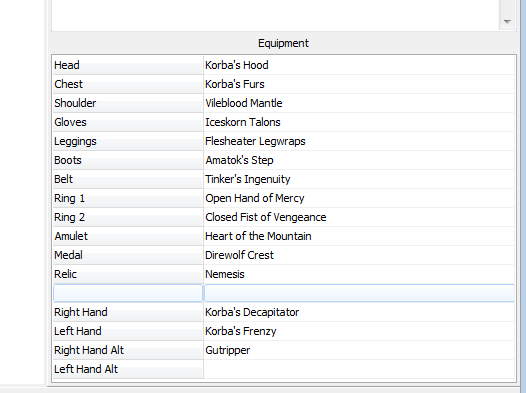
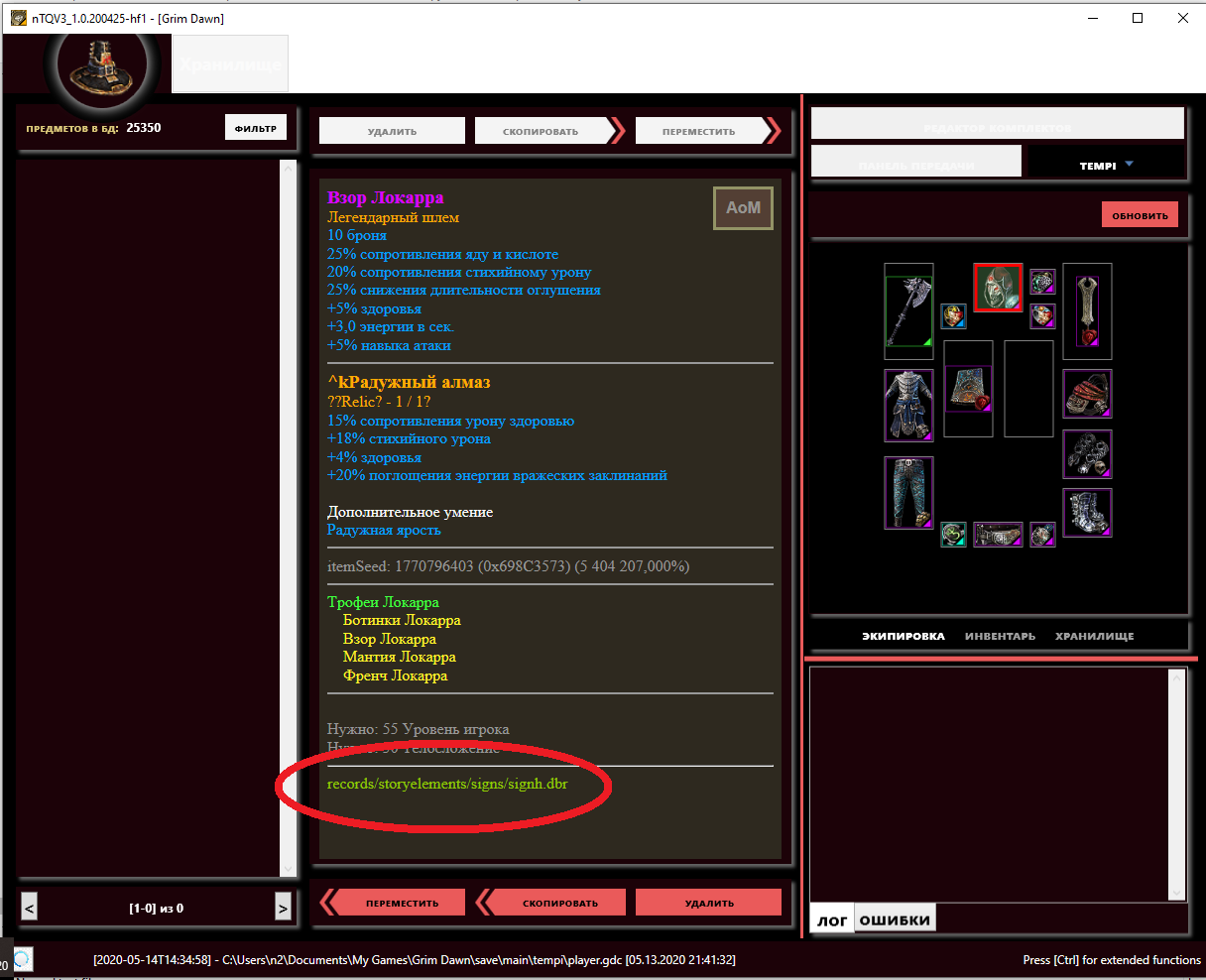
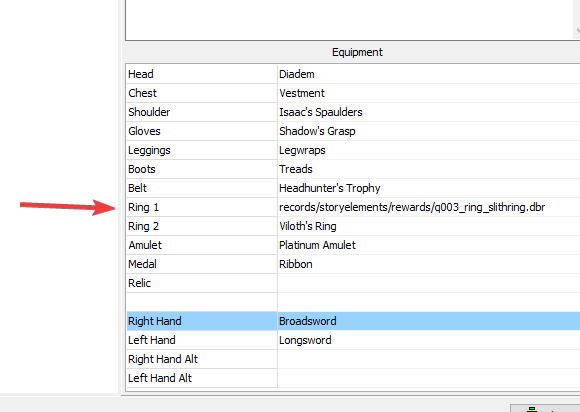
Just letting ya know that it doesn’t properly display the title for some items. That’s the Slith Primal Ring which you gain from an early quest.
Also you might (or might not) want to adjust the focus for this list element. As you can see it highlights the “Right Hand” automatically, and doesn’t appear to let you select anything else.
I think @mamba has answered my question about including mods adequately.
Everything can be done given an infinite amount of time and resource, but does every tool have to be a "Swiss Army Knife’ ?
I wrote this tool to simplify my management of a multitude of characters.
I have never installed a Grim Dawn mod, so the motivation and complexity is not there for me to dig into those files yet.
The app as it stands is fast and light and will stay that way. The addition of the Equipment display has added a little to load time, but not too serious and was actually a nice addition. Drilling down into details requires access to the entire GD database and is not where I want to go with this as other apps already support it efficiently.
Right on.
because of my small footprint I don’t load the entire Grim Dawn database into ram.
I have an app that creates a very scaled down tagname - dbresource - description set just for the items I require include it as a resource in my app.
I had similar issue with the “Totally Normal Shield” - I could not find in the database from the tag.
Added exceptions for the funnies like that. There are gonna be more.
Thanks for the Slith ring I will address that one - I am sure that is not the last.
The focus you have on the equipment grid is a feck up form my side in that version
I removed the “Key Value” titles in the grid as they were meaningless, but forgot to move the focused section breaker up by one. Will fix in next version.
as I just wrote right above you, no, the char save files do not contain info which mod the char is from
You can play any char with any mod. If the mod is not compatible with the char, it will ‘break’ the savegame (e.g. remopve the mastery of the char if it does not exist in the mod you selected), but nothing is stopping you.
it only has a flag mod yes/no, no info of which mod
Doesn’t work anyway, as they all are in save/user At most you can have the user select a mod someplace and then pretend that all chars belong to that mod, which will show some nonsense data or not find masteries / skills / items if they are from another mod, depending on the case - which basically gets you right back to the ‘coding maintenance nightmare’ you mention, not that I think it actually is that bad…
yes, but I assume you solved that, more or less, since you can do so for vanilla items. All it is is getting the info from another .arz and .arc on top of the vanilla ones. So this is adding one more arz and arc to the list (you already have multiple if you support vanilla + extensions)
Alternatively you could read the \mods folder in the games installation directory and display a list of the folder names present and let the user select which one a character belongs too.
Also interesting is the display difference from my Win 7 to yours, I assume you are running Win 10 from the look of your dump?
This is what it renders to on my Win 7 display (the highlight row offset err is actually fixed here now)
I suppose as if the output is correct, the screen display is not such a big deal.
I get similar sort of variations in display aesthetics in my Linux and RasPI apps, but at the end of the day, if they purvey the same information in an acceptable readable format, then no problem.
I am afraid though that it will be a cold day in hell before I give up my beloved Win 7 and delve into that Win 10 bloated hell pit.
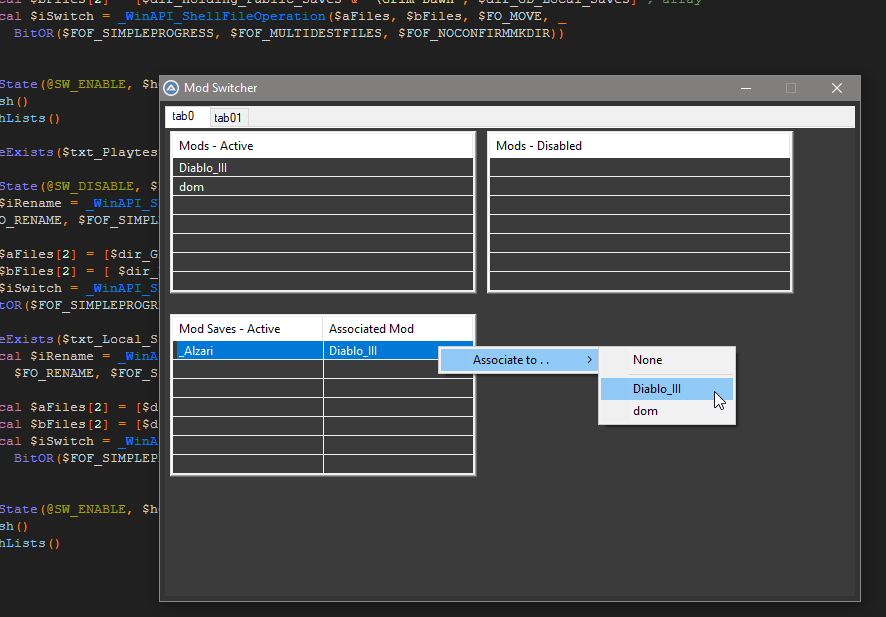
Since the conversation has touched on mod characters I will mention that I have been working (or was - kinda on a break from it atm) on a mod switcher that does what mamba mentioned with letting you specify which mods a character belongs to etc as well as lets me enable/disable them and stuff like that.
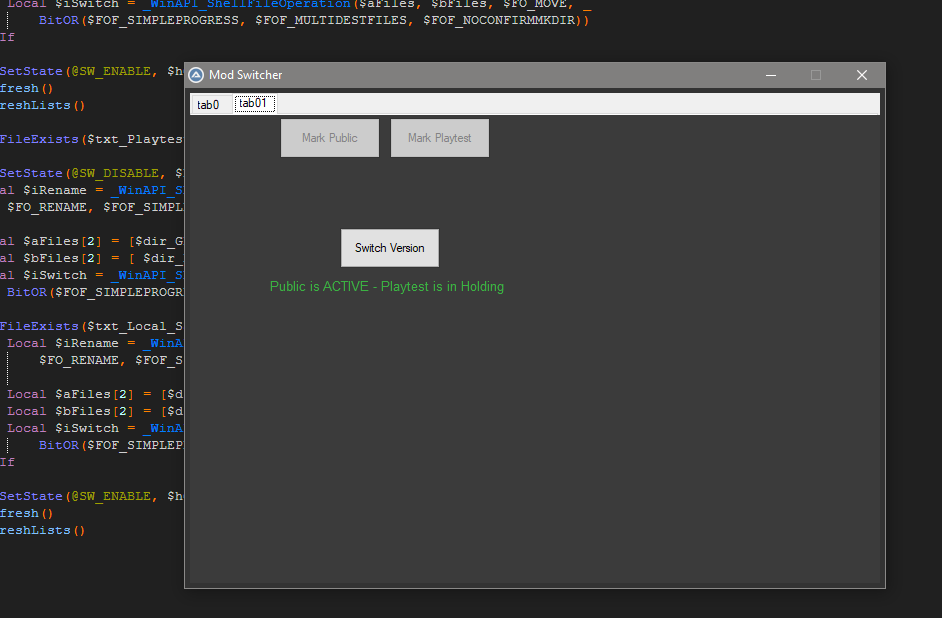
Since I am a playtester I even have it where I can switch between the playtest and public versions of the game and it moves both the installation folders themselves as well as character saves that have been designated either playtest or public. Makes it easier for me to keep them from getting mixed and intermingled together.
RECORDS\ENDLESSDUNGEON\SCRIPTENTITIES\PORTAL_S01.DBR RECORDS\ENDLESSDUNGEON\SCRIPTENTITIES\PORTAL_S02.DBR
RECORDS\ENDLESSDUNGEON\SCRIPTENTITIES\PORTAL_S03.DBR
all three files contain the same string: itemNameTag,tagGDX2EndlessDungeon_S201,
Thank you,
I am busy adding some of these now as I am finding them.
They appear to be specials and story items like Totally Normal Shield, Slith Ring, Levinus’ Ring etc.
I think the Skinners Family Ring would be one, but I dont have one of those to see what the record is.
Will do a quick run and get one as well as the necklace from Sybil Hart.
I have found these unresolved ones so far
records/endlessdungeon/scriptentities/portal_s01.dbr=Totally Normal Shield
records/endlessdungeon/scriptentities/portal_s02.dbr = Totally Normal Shield
records/endlessdungeon/scriptentities/portal_s03.dbr = Totally Normal Shield
records/storyelements/rewards/q003_ring_slthring.dbr = Slith Primal Ring
records/storyelements/rewards/q003b_ring_slithring.dbr = Slith Primal Ring
records/endlessdungeon/items/a001_ring.dbr = Leovinus’ Ring
records/creatures/npcs/npcgear/npc_torso002.dbr = Worn Clothing
Once I have added the ones I do have and the ones I will have to find I will update the application.
If you come across any other weird ones in the meantime can you post the record ID and also what the actual item name is.
Hi, I’m running into an issue with GDViewer: no characters are showing up! I’ve pressed “Refresh”, but nothing happens; the list remains empty. I ran the debugger; here’s my log:
GDViewerDebug.log
2020/05/14 04:50:30 - Looking for character directories in "C:\Users\desophos\Dropbox\saves\Documents\My Games\Grim Dawn\save\main\"
    _Antisteria OK
    _Brita OK
    _Cady OK
    _Icicle OK
    _Jaina OK
    _Johanna OK
    _Jupiter OK
    _Mavis OK
    _Melia OK
    _Miley OK
    _Molotov OK
    _Travis OK
12 Valid Grim Dawn character directories found
0 Entries ignored
Checking header read of the character player.gdc files
    _Antisteria : Antisteria - Witch Hunter
    _Brita : Brita - Purifier
    _Cady : Cady - Tactician
    _Icicle : Icicle - Trickster
    _Jaina : Jaina - Druid
    _Johanna : Johanna - Shieldbreaker
    _Jupiter : Jupiter - Druid
    _Mavis : Mavis - Death Knight
    _Melia : Melia - CLASSLESS
    _Miley : Miley - Mage Hunter
    _Molotov : Molotov - Sorcerer
    _Travis : Travis - Cabalist

12/12 Characters have been validated as genuine Grim Dawn characters
GDViewer.exe should execute OK with no issues
I have GD Save Path=C:\Users\desophos\Dropbox\saves\Documents\My Games\Grim Dawn\save\ in GDViewer.ini. I have GDViewer 1.1.4 (Build 13) and GDViewerDebug 1.0.1 (Build 3). Thanks for your time!
I went to all the trouble of creating the debugger that shows your path is OK, but did not apply the directory attribute logic correctly to the viewer.
Updated to 1.1.5 (build 14) at top of post.
Please try it now and let me know.
Your issue is the same as @tqFan in that the directory attribute has multiple attributes in it’s mask.
 I’ve messed with lists (in AutoIt) a bit fairly recently and they can be a bit of a pain sometimes.